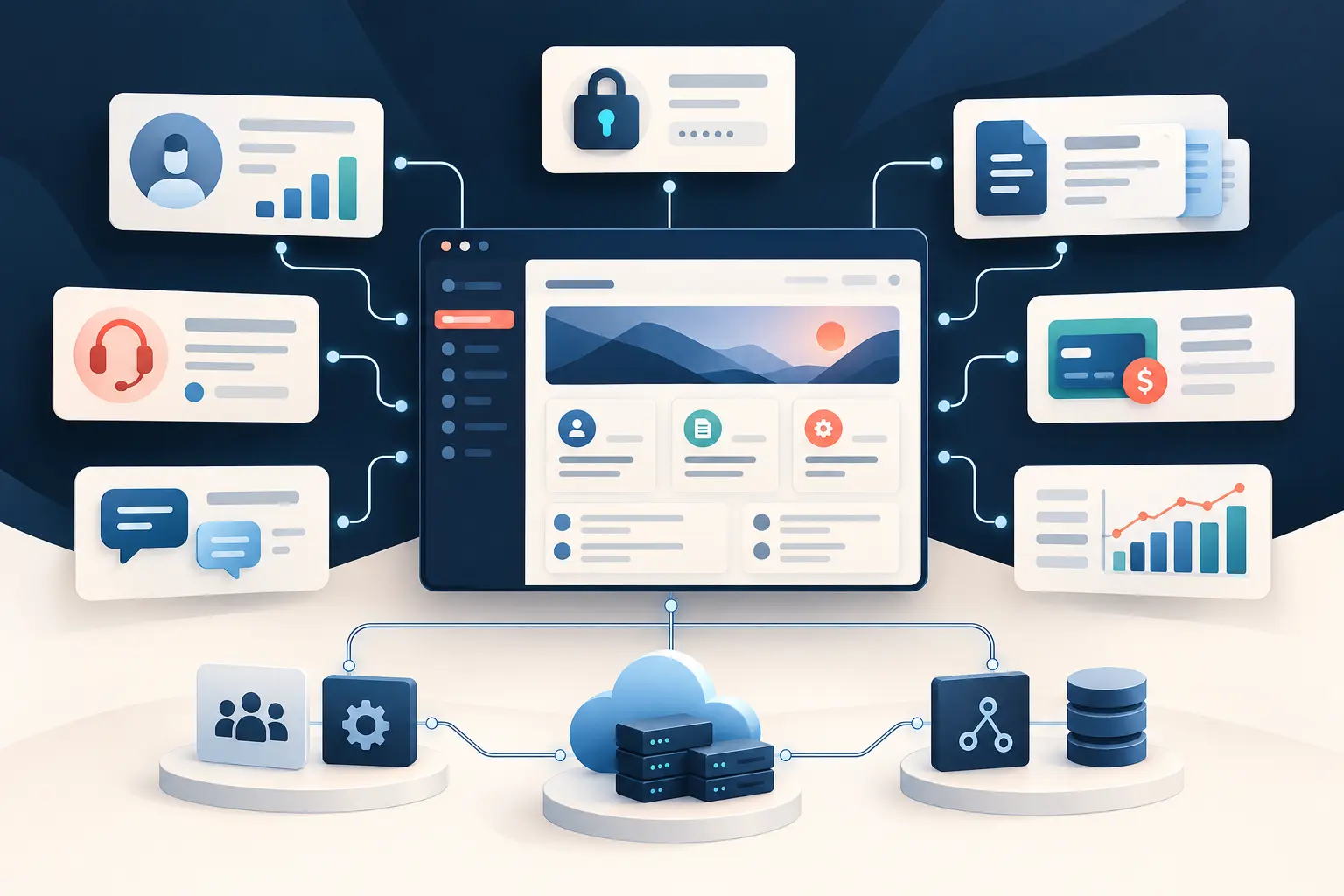
How long does it take to build a Laravel application? A simple internal tool may take roughly 2–6 weeks, a small custom business application 1–3 months, a SaaS MVP 2–4 months, a medium platform 3–6 months, and a large or integration-heavy application 6–12 months or longer.
Those ranges are illustrations, not guarantees. The actual Laravel application development time depends on scope, business rules, interfaces, integrations, existing systems, data migration, testing, security, infrastructure, and how quickly stakeholders make decisions. Laravel accelerates implementation, but the application’s responsibilities control the schedule.
How Long Does Laravel Development Usually Take?
A credible estimate describes both the functionality and the standard of completion. “Customer portal” could mean five read-only pages behind a login, or a multi-tenant system with delegated access, payments, file exchange, audit history, reporting, and connections to an ERP. They share a label but not a timeline.
| Project type | Typical complexity | Planning range |
|---|---|---|
| Small internal application | Low: one workflow, basic roles, forms, search, exports | 2–6 weeks |
| Business or customer portal | Moderate: several workflows, permissions, files, reporting, notifications | 1–3 months |
| API or integration project | Moderate to high: provider contracts, webhooks, retries, reconciliation | 4–12 weeks |
| SaaS MVP | Moderate: tenants, billing, core workflow, onboarding, administration | 2–4 months |
| Complex SaaS platform | High: granular roles, automation, reporting, APIs, operational controls | 6–12+ months |
| Laravel ecommerce application | Moderate to high: catalog, checkout, tax, fulfillment, customer service | 3–6 months |
| Existing PHP application modernization | Variable: assessment, tests, data, dependencies, staged replacement | 2–12+ months |
These are planning ranges, not guaranteed delivery dates. Discovery can move a project between categories. The useful output is a range with stated assumptions, risks, dependencies, and a clear first release. A phased plan is usually more dependable than one distant date for every feature the business may eventually want.
What Determines a Laravel Development Timeline?
Scope and feature depth
Feature count is only a starting point. Authentication may be routine, but multiple account types, organization membership, delegated administration, impersonation, single sign-on, and record-level policies add design and testing. Payment processing may include subscriptions, trials, taxes, refunds, failed-payment recovery, webhook handling, and reconciliation—not merely a checkout button.
UI, data, and reporting
A custom interface with responsive behavior, accessibility, live interaction, and many edge states takes longer than conventional forms built from an established design system. Database complexity grows with relationships, history, audit requirements, transactions, search, imports, and reporting. Reports that combine operational data across years need different planning from a dashboard that displays five current totals.
Integrations and existing systems
Third-party APIs introduce authentication, rate limits, timeouts, inconsistent data, provider outages, webhooks, retries, and reconciliation. Legacy systems add another layer: old schemas may be undocumented, data may violate today’s rules, and cutover must preserve active operations. Data migration is development work, not an administrative afterthought.
Production requirements
Email, notifications, background processing, security, automated testing, infrastructure, and deployment all affect the schedule. Slow operations may use queues where persistent workers are supported; in self-contained deployments they may need application-triggered detached processes, webhooks, or another owned execution model. Either approach needs failure visibility and recovery.
Security requirements expand with sensitive data, public APIs, file uploads, payments, administrative tools, and compliance obligations. Testing must cover permissions, validation, business rules, integration failures, and release-critical journeys. Deployment includes configuration, storage, database changes, monitoring, backups, health checks, and rollback planning. A screen is not finished merely because it works on a developer’s laptop.
Example Laravel Development Timelines
Example 1: Simple Business Application — 2–6 weeks
A focused internal application might replace one spreadsheet-and-email process. It could include secure staff login, two roles, customer or request records, validation, status changes, notes, email notifications, search, and CSV export. The shorter end assumes clear rules, a conventional interface, clean starting data, and rapid feedback.
Example 2: Customer Portal — 1–3 months
A portal may let customers manage profiles, view orders, exchange documents, submit support requests, and see account-specific reporting while staff administer the same information. Secure ownership boundaries, file handling, invitation flows, notification preferences, auditability, and one or two system integrations make this more than a collection of pages.
Example 3: SaaS MVP — 2–4 months
A realistic MVP can include tenant onboarding, subscription billing, a focused core workflow, role-based access, an administration area, transactional email, basic product analytics, CI/CD, monitoring, and support tooling. The goal is to prove a business result with production discipline, not to imitate every capability of an established competitor.
Example 4: Complex Enterprise or Integration-Heavy Application — 6–12+ months
A larger platform may coordinate an ERP, CRM, payment provider, identity platform, warehouse data, and multiple business units. It may require single sign-on, granular authorization, audit trails, high-volume imports, formal security review, staged migration, disaster recovery, performance testing, and parallel operation with a legacy system. Delivery should be divided into independently valuable releases.
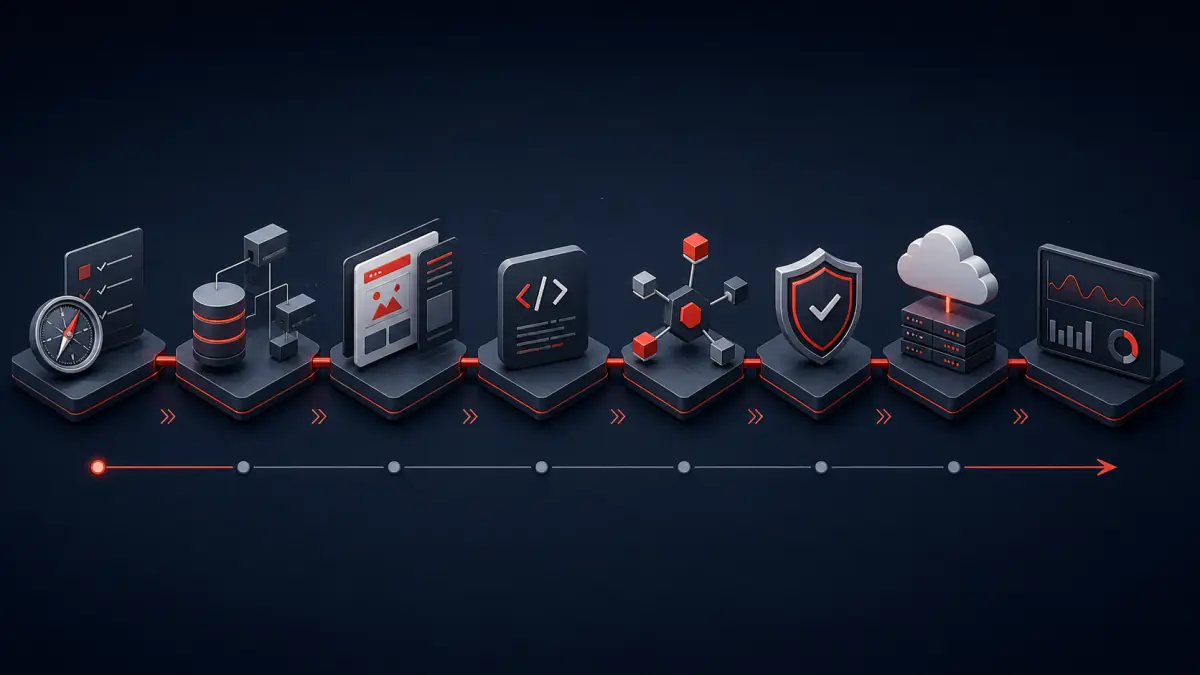
The Laravel Development Process From Idea to Production
- Discovery and requirements: identify users, outcomes, workflows, exceptions, dependencies, risks, and acceptance criteria.
- Architecture and database planning: define application boundaries, data ownership, integrations, security, infrastructure, and migration strategy.
- UI/UX: map journeys, prototype uncertain interactions, and establish accessible responsive patterns.
- Core development: deliver complete, reviewable slices with validation, authorization, error handling, and tests.
- API and integration work: implement provider contracts, timeouts, retries, idempotency, logging, and reconciliation.
- Testing: verify business rules, permissions, edge cases, integrations, and critical browser journeys.
- Security and performance review: assess exposed boundaries, queries, caching, dependency risk, and realistic load.
- Infrastructure and deployment: build repeatable releases, environment configuration, backups, monitoring, and rollback procedures.
- Production validation: run health checks, confirm key workflows, watch errors and performance, and verify integrations.
- Post-launch stabilization: use monitoring, production evidence, and user feedback to resolve real-world issues and plan the next valuable increment.
Authentication and authorization affect the database, interface, tests, and security review. Background work also needs an operating model. Queues may fit supported deployments, while self-contained applications may use request-triggered detached processes or webhooks. Both need retries, failure reporting, and recovery.
AWS or other cloud work can include networking, compute, managed databases, object storage, secrets, email, deployment automation, backups, alerts, and rollback procedures. Monitoring should cover application errors, logs, response times, resource health, integration failures, and critical business workflows. These activities overlap: interface decisions expose missing rules, integration tests reveal provider constraints, and infrastructure decisions shape background processing. Our detailed Laravel development process from idea to production explains what each stage should produce.
Can AI Make Laravel Development Faster in 2026?
Yes. AI-assisted Laravel development can materially accelerate boilerplate, CRUD implementation, test creation, documentation, debugging, refactoring, repetitive transformations, initial UI work, and code analysis. It helps an experienced developer explore a codebase, compare implementation options, and complete well-defined tasks with fewer mechanical steps.
That gain is not uniform. Generating a controller is easier than deciding the correct business transaction. Drafting a test is easier than identifying the failure that could expose another customer’s data. AI output can be incomplete, outdated, overcomplicated, or confidently wrong, so generated code must be reviewed in the context of the real application.
AI changes how quickly experienced developers can build software. It does not remove the need for experienced developers. People remain accountable for architecture, security, business logic, integration decisions, generated-code review, testing strategy, deployment, monitoring, and production reliability. Our article on building SaaS faster with AI and experienced developers examines that division of responsibility.
What Can Slow Down a Laravel Project?
- Unclear requirements: developers cannot implement a rule stakeholders have not agreed upon.
- Changing scope: individually reasonable additions can collectively move the release by months.
- Changing business rules: late changes can invalidate interfaces, schemas, tests, and integrations together.
- Delayed feedback: unanswered questions and slow acceptance reviews stop dependent work.
- Legacy integrations and undocumented APIs: unknown contracts, poor sandboxes, rate limits, missing endpoints, and provider defects turn estimates into investigation.
- Payments: subscriptions, taxes, refunds, disputes, webhook ordering, and reconciliation create more states than a successful checkout.
- Complex permissions: organization, team, role, and record-level rules multiply both implementation and security testing.
- Data migration: inconsistent legacy records, mapping decisions, rehearsal, validation, and cutover add real engineering work.
- Platform approvals: app stores and social platforms can require reviews, demonstrations, business verification, or permission approval on timelines the development team cannot control.
- Production infrastructure: networking, cloud accounts, security controls, backups, DNS, deployment automation, and observability must be ready for launch.
- Security or compliance: formal reviews, access controls, retention rules, and evidence requirements need planned time.
- Insufficient testing: postponing verification makes defects interact and creates unpredictable stabilization work near launch.
A schedule should expose these risks instead of hiding them inside one optimistic deadline. Early integration proofs and representative data turn uncertainty into useful planning information.
How to Build a Laravel Application Faster Without Cutting Corners
Define the MVP around one measurable outcome, then prioritize features by the value or risk they address. Make product decisions quickly and document what is deferred. Use Laravel’s built-in routing, validation, authorization, database, notification, caching, and testing capabilities instead of rebuilding solved framework concerns. Select proven packages when their maintenance, security, licensing, and fit have been reviewed.
Automated tests protect the rules most likely to break. CI/CD gives every change the same checks and makes smaller releases economical. Responsible AI assistance reduces repetitive effort, while code review and test evidence protect the result. Build in thin vertical slices, place them in staging early, and let stakeholders evaluate working workflows rather than imagining behavior from a long specification.
Speed comes from reducing uncertainty, scope, and rework—not from omitting authorization, tests, backups, or monitoring.
Can a Laravel Application Be Built in 30 Days?
Yes, but only when the first release is deliberately narrow. Thirty days can be realistic for a small internal tool, a validated prototype, a simple CRUD application, a limited API integration, or an MVP with one core workflow. It requires settled requirements, an available decision-maker, conventional UI patterns, limited roles, clean data, accessible integrations, and no lengthy approval process.
Thirty days is generally not credible for a complex multi-tenant SaaS platform, custom ecommerce operation, major legacy migration, regulated system, or application with sophisticated permissions and several uncertain integrations. Those projects can still launch an intentionally bounded first phase in 30 days, but compressing the complete production scope usually transfers unfinished work into defects, security exposure, and technical debt.
Why the Fastest Proposal Is Not Always the Best Proposal
A short estimate can reflect experience and disciplined scope, but it can also omit work. Compare what each proposal includes: discovery, responsive states, authorization, automated tests, code review, migration rehearsal, deployment, security checks, monitoring, documentation, and post-launch support. Two teams can quote the same feature list while defining “finished” very differently.
The best proposal connects schedule to maintainability and long-term ownership. A business needs readable code, protected data, repeatable releases, useful tests, observable failures, and a practical way to extend the application after launch. Saving several weeks by skipping that foundation can create years of slower changes and production risk. For a broader view of provider responsibilities, read what businesses should expect from Laravel development services in 2026.
How Long Does It Take to Modernize an Existing Laravel or PHP Application?
Modernization ranges from a targeted Laravel upgrade to a multi-stage replacement of a legacy PHP system. A framework upgrade may take days when dependencies are current and tests are strong. Several major-version jumps with abandoned packages, custom framework overrides, and outdated infrastructure can take weeks or months.
Refactoring changes internal structure while preserving behavior. Legacy PHP modernization may introduce tests, isolate business logic, update dependencies, improve deployment, or move selected modules toward Laravel. Incremental migration keeps valuable parts operating while bounded capabilities are replaced. A complete rebuild creates a new system and must account for every hidden rule, integration, data exception, and cutover risk.
A rebuild is not automatically best. The right plan begins with an assessment of business value, code health, security, data, dependencies, infrastructure, and change frequency. Custom PHP Design’s legacy application modernization services emphasize reducing risk without discarding working value.
After launch, improvements, framework upgrades, security patches, performance work, and incident response become part of the application’s lifecycle. Our guide to Laravel maintenance and support in 2026 explains what businesses should plan for after stabilization.
How Much Does Laravel Development Cost?
Time and cost are closely connected, but hours are not the only variable. Complexity, uncertainty, developer experience, team composition, production responsibility, and engagement model all affect the result. A senior Laravel developer may cost more per hour while requiring fewer hours and preventing expensive architectural mistakes. See how much Laravel development costs in 2026 for a fuller pricing discussion.
Choosing the Right Laravel Development Partner
Evaluate evidence beyond framework syntax. A capable Laravel development company should be able to discuss production applications, database architecture, authorization, API integrations, AWS or cloud infrastructure, DevOps, CI/CD, testing, monitoring, migration, and long-term maintainability. Ask how estimates handle uncertainty, how changes are reviewed, what “done” includes, and who responds when an external service fails after launch.
Custom PHP Design builds and modernizes production Laravel applications across business workflows, SaaS, APIs, MySQL, AWS, Docker, CI/CD, infrastructure, and AI-assisted delivery. The goal is not to promise the shortest calendar number. It is to define the smallest valuable release, make the timeline understandable, and deliver software the business can safely operate and extend. Learn more about our custom Laravel application development services.
If you are still defining the technical approach, start with our complete guide to Laravel development in 2026. For software shaped around proprietary workflows rather than an off-the-shelf product, see how custom Laravel development builds around the business.
Frequently Asked Questions
Can a Laravel application be built in 30 days?
Sometimes. A narrow internal tool or first release can fit into 30 days when requirements are settled, the interface is conventional, dependencies are available, and feedback is immediate. Complex production scope should not be forced into an arbitrary date.
How long does it take to build a Laravel SaaS application?
A focused SaaS MVP often takes about 2–4 months. A mature platform with sophisticated billing, permissions, reporting, integrations, and operational tooling commonly takes longer and should be released in phases.
Can AI reduce Laravel development time?
Yes. AI can accelerate implementation, tests, analysis, documentation, and debugging. Experienced engineers still need to direct, review, verify, deploy, and operate the software.
How long does a Laravel MVP take?
A small MVP may take 4–8 weeks; a SaaS MVP often takes 2–4 months. The key is defining the smallest release that proves a useful business outcome without treating quality as optional.
What causes Laravel projects to take longer than expected?
Unclear requirements, added scope, delayed decisions, integration constraints, legacy behavior, data problems, security requirements, and late testing are the most common causes. Early evidence and incremental delivery make them easier to manage.
Get a Timeline Based on Your Actual Application
Illustrative ranges help with early planning, but a useful Laravel development timeline comes from the real users, workflows, data, integrations, constraints, and release standards. Contact Custom PHP Design to discuss a Laravel application, a modernization project, or an existing application that needs additional development, and define a practical first phase.