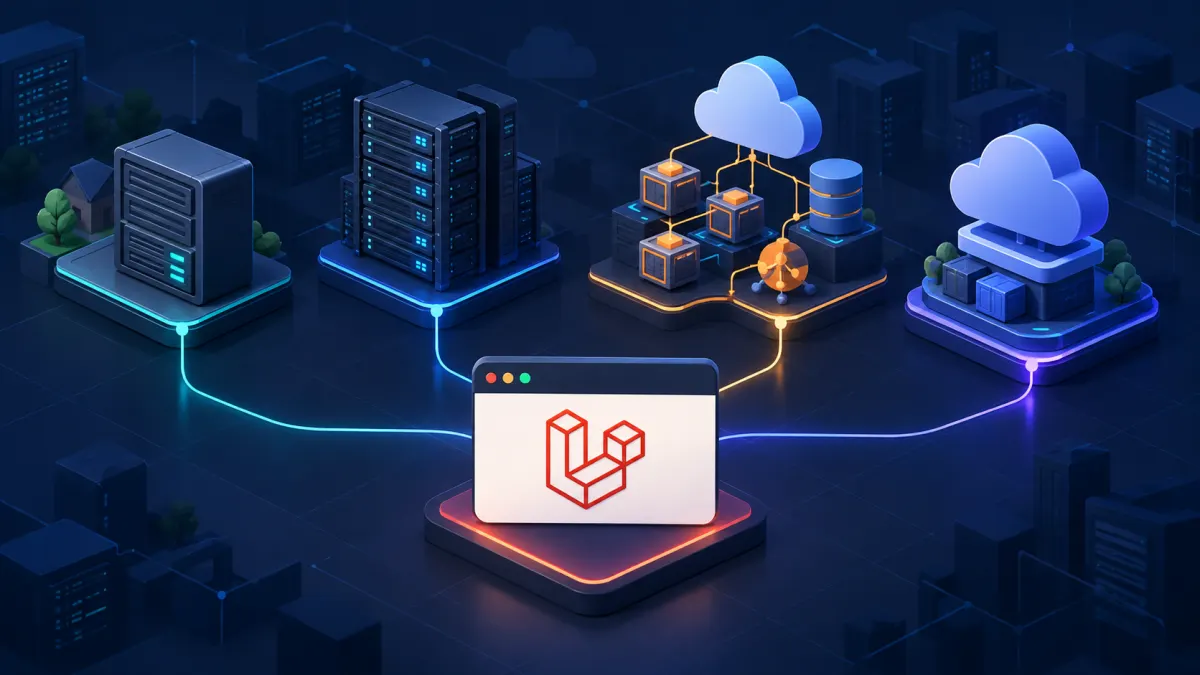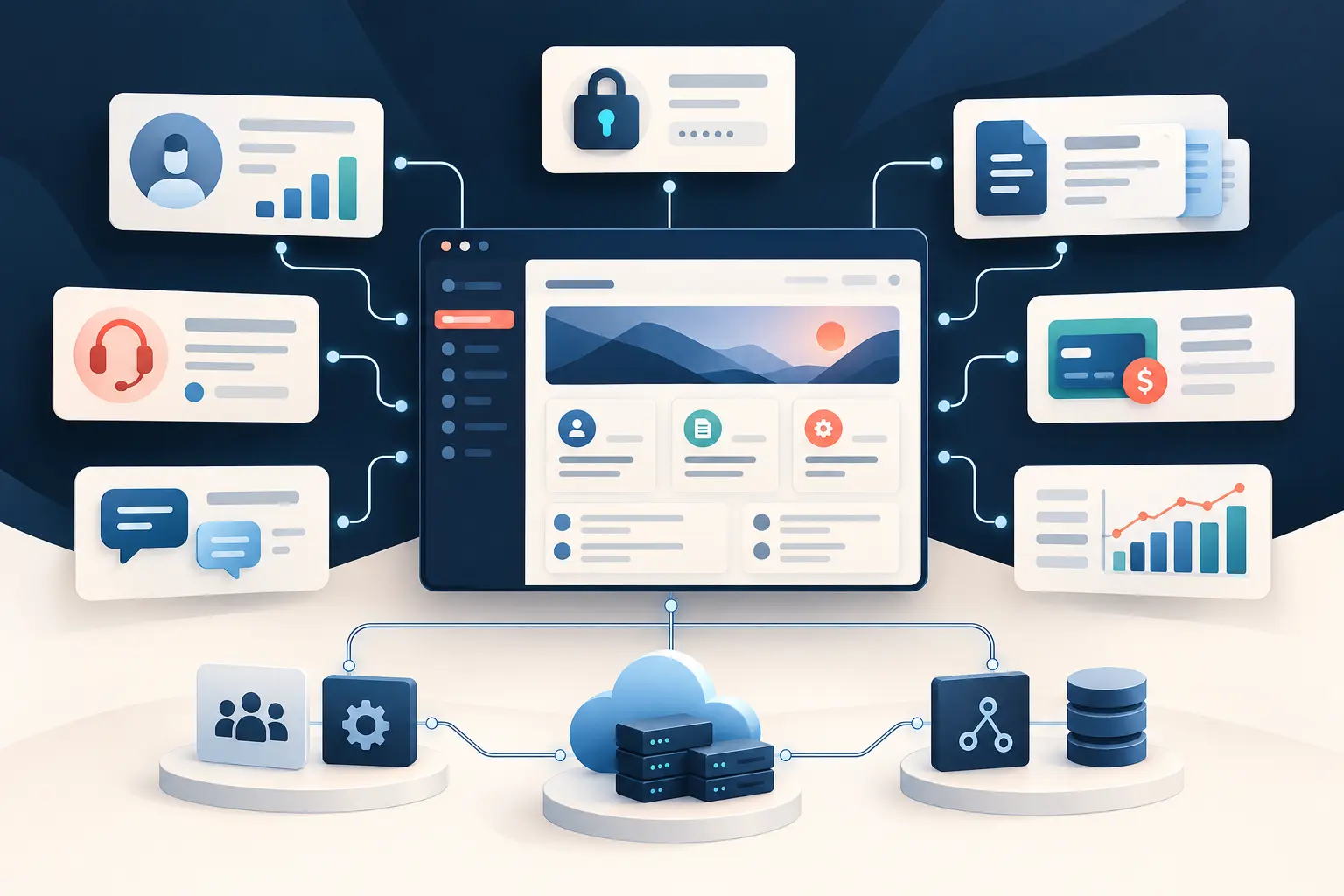
Custom Laravel customer portal development gives customers, clients, members, vendors, or partners a secure place to do business without relying on email threads, phone calls, shared spreadsheets, and disconnected forms. The portal can expose account information, documents, orders, service requests, payments, approvals, messages, reports, and other self-service functions while connecting those actions to the systems employees already use.
The word portal can make the project sound like a collection of pages behind a login. In practice, a useful portal is an operational application. It must know who the user is, which organization and records that person may access, where authoritative data lives, what happens when an external system fails, and which actions require staff review. Those decisions—not the login screen—determine whether the portal reduces service work or creates another system employees must reconcile.
This guide is for businesses comparing custom Laravel development services for a new portal or an existing one that no longer meets customer and operational needs. It covers the build-versus-buy decision, feature planning, architecture, integrations, security, performance, modernization, maintenance, cost, and the evidence to request from a Laravel development company.
What is custom Laravel customer portal development?
Custom Laravel customer portal development is the design, construction, integration, deployment, and support of a secure self-service application using Laravel and PHP. Instead of forcing the business into a fixed portal template, the application is shaped around its users, account relationships, business rules, data, services, and operating constraints.
Laravel supplies proven structure for routing, request validation, authentication, authorization, database access, API resources, notifications, caching, testing, and other recurring application concerns. A development team uses that foundation to implement the part that is unique: which records a customer can see, how a request moves through approval, how pricing is calculated, where a document comes from, or how a portal action changes a CRM, ERP, accounting platform, or internal system.
The result may be called a client portal, member portal, vendor portal, partner portal, dealer portal, patient portal, policyholder portal, or account dashboard. The label matters less than the workflow. If users need secure, ongoing interaction with business data and services, the project belongs to application development rather than ordinary website design. The broader guide to custom Laravel development explains why this approach can fit differentiated business software.
Which businesses benefit from a custom Laravel portal?
A portal creates the most value when customers repeatedly need information or action that employees currently provide by hand. Professional services firms can share projects, invoices, files, and approvals. Manufacturers and distributors can expose orders, inventory, quotes, warranties, and dealer resources. Membership organizations can manage renewals, resources, events, and permissions. Property, insurance, healthcare-adjacent, financial, logistics, and field-service businesses may need secure case, document, payment, scheduling, or status workflows.
Software and subscription companies can use a portal as the product itself or as the account-management layer around another service. Businesses with partner networks may need onboarding, training, lead distribution, co-marketing assets, compliance evidence, or performance reporting. A portal can also serve several audiences with different permissions, such as a customer administrator who manages teammates and an individual user who sees only assigned records.
The strongest candidates usually share several signals:
- Customers frequently contact staff for status, documents, balances, updates, or routine requests.
- Work moves through email, spreadsheets, PDFs, shared drives, and manual re-entry across systems.
- Existing software provides a portal, but its workflow, branding, permissions, integrations, or reporting are too limited.
- Different customer types require different data, pricing, entitlements, approvals, or service experiences.
- The company wants self-service without exposing internal systems directly.
- A better digital experience is part of retention, operational efficiency, or competitive differentiation.
Laravel is not necessary for a basic contact form, a public document library, or a standard ecommerce account page that an established platform already handles well. A responsible developer should distinguish a true custom application need from a configuration project before recommending code.
Custom portal vs. off-the-shelf portal software
Packaged portal software is often the right starting point when the workflow is common, the available integrations are sufficient, and the business can adapt to the product’s model. It may provide faster launch, predictable subscription pricing, vendor-managed infrastructure, and standard features such as accounts, tickets, files, and notifications.
The tradeoff appears when the business must work around the package. Teams export data to spreadsheets, create side-channel approvals, buy overlapping products, duplicate records, or tell customers to use several logins. Configuration can eventually become as complex as software development while leaving the company dependent on vendor limits and pricing.
A custom portal becomes more compelling when:
- The workflow is proprietary or central to how the company competes.
- Permissions depend on complex account, location, contract, project, or partner relationships.
- Several systems must appear as one coherent customer experience.
- Customers need actions, calculations, documents, or reports unavailable in packaged products.
- The company needs control over the roadmap, data model, release timing, and integration behavior.
- Recurring licensing and manual work cost more than owning a focused application.
A hybrid model is frequently best. Keep a reliable CRM, accounting system, payment provider, or support platform as the system of record and let Laravel provide the tailored experience and coordination layer. Custom does not mean rebuilding commodity capabilities. It means owning the workflow that creates business value.
Features a Laravel customer portal can include
Feature planning should begin with the customer journey and the employee work behind it. A long checklist is less useful than a complete first workflow that reduces a measurable source of effort or friction. Common capabilities include:
- Account and organization management: invitations, team members, locations, roles, profiles, preferences, and delegated administration.
- Dashboards: relevant status, upcoming actions, balances, service health, usage, milestones, or performance indicators.
- Requests and cases: structured intake, attachments, assignment, status history, approvals, comments, and escalation.
- Documents: secure delivery, version history, acknowledgment, signatures, uploads, retention, and controlled downloads.
- Orders and services: quotes, ordering, scheduling, subscriptions, renewals, changes, cancellations, and fulfillment status.
- Billing and payments: invoices, balances, payment methods, receipts, credits, subscription status, and payment-provider workflows.
- Communication: in-portal messages, email notifications, announcements, reminders, and a durable activity history.
- Reporting: filters, exports, account-level analytics, compliance evidence, and reports based on governed definitions.
- Administration: customer support access, impersonation with controls, audit history, configuration, reconciliation, and operational queues.
The administration experience deserves equal attention. If employees cannot find a customer’s activity, correct recoverable errors, or understand why synchronization failed, self-service may simply move work from the customer-service queue into the engineering queue.
Architecture starts with identity, organizations, and data ownership
Portal architecture begins with relationships. Is a user part of one customer account or several? Can a customer administrator invite colleagues? Do records belong to a company, location, project, policy, property, or individual? Can employees see everything, and should that access require a reason or create an audit event? These questions shape the database and authorization model.
Multi-tenant software requires especially clear boundaries. Every request must enforce the user’s access on the server, not merely hide links in the interface. Exports, search, notifications, file URLs, APIs, and administrative tools must respect the same rules. Automated tests should prove that one account cannot access another account’s records even when identifiers are guessed or requests are altered.
Data ownership must also be explicit. The CRM may own customer contact data, the ERP may own orders, the payment provider may own payment instruments, and Laravel may own portal-specific preferences and requests. Trying to make every system authoritative creates conflicts. A good architecture defines the source of truth for each important concept and how changes propagate.
For many portals, a well-structured Laravel application with a relational database is easier to build, deploy, and maintain than premature microservices. Separate services should be introduced only when a measured requirement—such as independent scaling, isolation, or an established organizational boundary—justifies the added operational burden.
Integrating the portal with business systems
Integration is often the reason a custom portal exists. Laravel can connect CRM, ERP, accounting, payments, support, identity, scheduling, document storage, electronic signature, email, shipping, analytics, AI, and proprietary systems through APIs, webhooks, file exchange, or controlled database boundaries.
A successful demonstration call is not a production integration. The implementation must protect credentials, verify inbound webhooks, validate payloads, handle rate limits and timeouts, prevent duplicate effects, log useful evidence, and provide reconciliation when systems disagree. If a payment succeeds but the response is lost, the portal should not charge again blindly. If a CRM is unavailable, the application should preserve a recoverable state and explain what the user can expect.
Some actions can complete during a normal web request. Slow imports, large exports, media processing, and provider operations may need bounded server-side processes or external completion webhooks. The execution approach should fit the application’s deployment environment and include visible status, duplicate prevention, timeouts, resource limits, and failure recovery—not depend on unattended infrastructure nobody operates.
If the portal exposes an API to mobile applications or partners, the same discipline applies to versioning, authentication, authorization, pagination, rate limits, errors, and contract tests. An API is a product boundary other software will depend on, not an accidental copy of database tables.
Security and privacy requirements for customer portals
A customer portal concentrates identities, business records, files, and actions behind an internet-facing interface. Laravel provides useful security foundations, but secure outcomes depend on application-specific design and consistent implementation.
Authentication may require verified email, strong password handling, multi-factor authentication, single sign-on, session controls, login throttling, and safe account recovery. Authorization must cover every record and action. Sensitive operations may require recent re-authentication, a second approval, or an immutable audit event. Files need type and size validation, private storage, controlled delivery, and appropriate malware-scanning or review procedures.
Secrets should not live in source code. Logs must help diagnose failures without leaking credentials, tokens, payment information, or sensitive customer data. Database backups, exports, support access, nonproduction environments, and analytics deserve the same privacy attention as the main interface. Dependency maintenance, secure headers, encryption choices, rate limiting, and an incident response path are part of the operating model.
Compliance requirements should be translated into concrete system behavior rather than treated as a certification label. Retention, deletion, consent, access history, regional storage, and separation of duties may affect architecture and cost. A qualified partner will identify these constraints during discovery rather than after the portal is built.
Performance and scaling without premature complexity
Customers experience performance through login time, dashboard loading, search, file delivery, reports, and the delay between an action and visible confirmation. A portal should establish realistic expectations for concurrent users, record counts, file sizes, integrations, and seasonal peaks, then measure production behavior against them.
Laravel performance work commonly involves database indexes, query plans, avoiding repeated queries, pagination, smaller API payloads, caching stable results, efficient file delivery, and isolating slow provider calls. Infrastructure matters, but increasing server size will not fix an unbounded query or a dashboard that recalculates years of data on every request. The Laravel performance optimization guide explains the evidence-first process.
Scaling can remain incremental. Start with clear application boundaries, a managed relational database, observable infrastructure, and repeatable deployment. Add caching, additional compute, a content-delivery network, read optimization, or isolated workloads when measurements justify them. This approach protects current budget and keeps the system understandable while leaving room for growth.
Modernizing an existing Laravel customer portal
An older portal does not automatically need a rewrite. It may need a supported PHP and Laravel version, dependency updates, better authorization, repaired deployment, improved logs, query optimization, or replacement of one fragile integration. Existing software often contains years of rules and exceptions that are not documented elsewhere.
A responsible modernization starts with a technical and operational assessment. The team maps users, critical workflows, packages, schema, integrations, infrastructure, releases, incidents, tests, and known pain points. It then separates urgent security and reliability work from maintainability improvements and new features.
Characterization tests can protect current behavior before changes. High-risk dependencies can be placed behind interfaces. Framework upgrades can proceed in supported steps, and portal modules can be improved one workflow at a time. A full replacement is appropriate when evidence shows the foundation cannot be secured, supported, or changed economically—not simply because the code is unfamiliar. See the guide to taking over an existing Laravel application and CPD’s legacy application modernization services.
How a customer portal project should be delivered
Discovery should define the business outcome, primary users, current process, authoritative systems, exceptions, risks, and a narrow first release. Useful artifacts include workflow maps, roles, acceptance criteria, integration inventories, data ownership decisions, interface flows, and an initial technical plan. The goal is shared understanding, not documentation volume.
Implementation should proceed in vertical slices. A “submit service request” slice might include the interface, validation, authorization, saved data, CRM synchronization, notifications, administrative review, tests, and deployment to a review environment. Stakeholders can evaluate a real workflow sooner, and the team finds incorrect assumptions before they spread across the portal.
Testing should protect high-consequence behavior: account separation, permissions, money, documents, destructive actions, integration contracts, and critical customer journeys. Releases should use locked dependencies, automated checks, compatible database changes, health verification, and a recovery path. Monitoring should cover availability, errors, latency, failed integrations, resource pressure, and business events such as requests that remain stuck.
Launch is followed by adoption, support, and measured improvement. Usage data and customer feedback can show which functions reduce service work and which remain confusing. Maintenance includes security updates, framework and package upgrades, integration changes, incident diagnosis, backup verification, and planned product development. The Laravel maintenance and support guide describes how to define that responsibility.
How much does custom Laravel portal development cost?
Cost is driven by the number and complexity of workflows, roles and permissions, interface requirements, business-system integrations, data migration, documents, payments, reporting, infrastructure, security, testing, and launch support. A portal with one user type and a focused document workflow is fundamentally different from a multi-organization platform with delegated administration, ERP synchronization, billing, audit requirements, and years of legacy data.
Compare proposals by included responsibility rather than headline total. Does the estimate include discovery, UX work, architecture, integration failure handling, data cleanup, automated tests, infrastructure, deployment, monitoring, documentation, and post-launch support? A cheaper quote may describe screens and happy paths while leaving the most consequential work undefined.
Fixed pricing can suit stable requirements with testable acceptance criteria. Time-and-materials delivery is often more honest when integrations, existing code, or business rules contain uncertainty. A staged engagement—assessment, first release, then measured expansion—can limit risk while producing useful software sooner. For broader pricing factors, see how much Laravel development costs.
How to choose a Laravel customer portal development company
Framework familiarity is only the starting point. A portal developer must be able to understand the service workflow, model organizations and permissions, design a durable database, integrate external systems, protect sensitive data, deploy safely, and diagnose production failures.
Ask prospective companies to explain:
- How discovery turns customer and employee workflows into acceptance criteria.
- How organization-level permissions and tenant separation will be designed and tested.
- Which systems own customer, order, billing, document, and portal data.
- How integrations handle timeouts, duplicates, partial success, and reconciliation.
- What automated testing, code review, security review, and deployment controls are included.
- Who owns the repository, cloud accounts, domains, credentials, and data.
- What monitoring, incident response, maintenance, documentation, and handoff look like.
Good answers are specific without pretending every detail is known before discovery. Strong providers explain tradeoffs in business language, identify uncertainty, and recommend packaged or hybrid solutions when custom software is not justified. Use the detailed guide to choosing a Laravel development company when comparing potential partners.
Frequently asked questions
What is a custom Laravel customer portal?
A custom Laravel customer portal is a secure web application built around an organization’s specific customer workflows, data, permissions, integrations, and service model rather than the fixed capabilities of a packaged portal.
When should a business build a custom customer portal?
Custom development is worth evaluating when a portal must support proprietary workflows, complex permissions, several business-system integrations, unusual data or documents, differentiated customer service, or a product roadmap that packaged software cannot support cleanly.
How much does Laravel customer portal development cost?
Cost depends on user roles, workflows, interface requirements, integrations, data migration, security, infrastructure, testing, and ongoing support. A discovery phase or technical assessment is usually necessary for a responsible estimate.
Can Laravel integrate a portal with a CRM, ERP, or payment provider?
Yes. Laravel can connect a portal to CRM, ERP, accounting, payments, identity, document storage, support, scheduling, email, analytics, and proprietary systems through APIs, webhooks, files, and controlled synchronization.
How long does it take to build a Laravel customer portal?
A focused first release may take several weeks, while a portal with complex permissions, multiple integrations, data migration, payments, or extensive self-service workflows commonly takes several months and should be delivered in stages.
Can an existing portal be modernized instead of replaced?
Often, yes. A team can stabilize the current application, improve tests and monitoring, upgrade Laravel and PHP, replace fragile integrations, and modernize high-value workflows in stages when the existing foundation remains viable.
Build the portal around the customer relationship
A successful customer portal is not measured by how many menu items it contains. It succeeds when customers can complete important work confidently, employees spend less time on avoidable handling, data remains trustworthy, and the business can improve the experience without fighting a rigid platform.
Laravel is a strong foundation for that work because it provides consistent application structure while leaving room for the workflows, permissions, integrations, interfaces, and operating model that make the business distinct. The investment makes sense when those custom capabilities create more value than the cost and responsibility of ownership.
Custom PHP Design provides custom Laravel application development services for customer portals, SaaS platforms, business workflows, APIs, modernization, AWS delivery, and long-term support. If your business is evaluating a new portal or an existing system that needs a dependable next phase, share the current process and desired outcome.