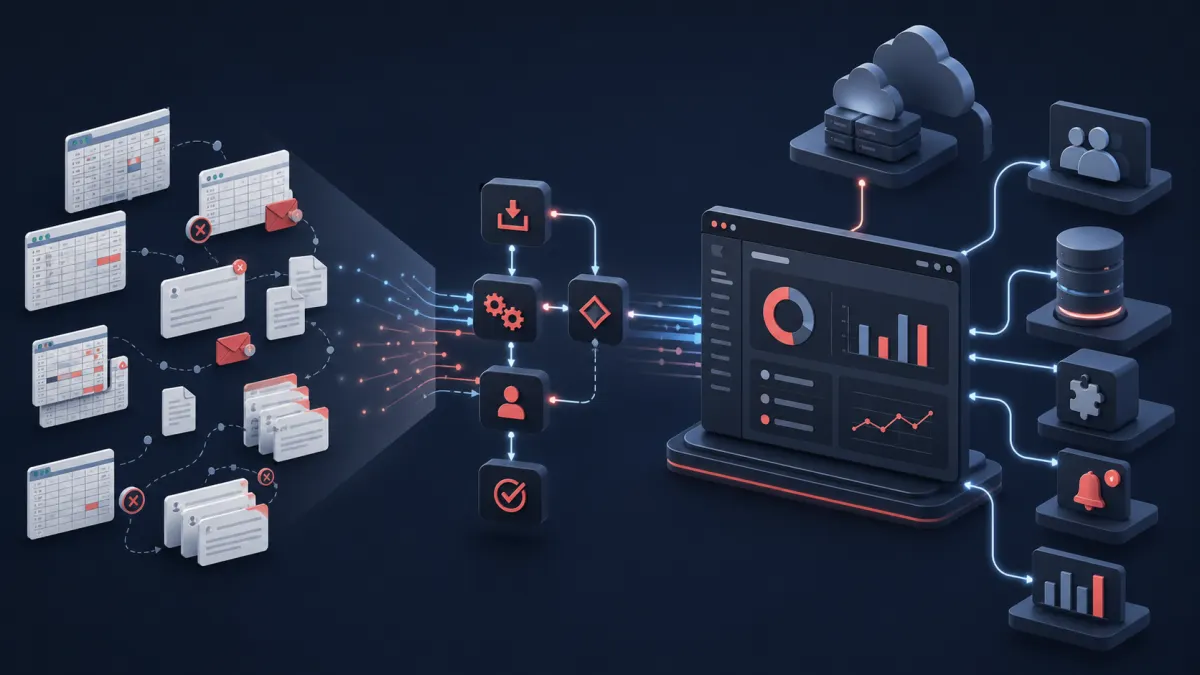
Custom PHP development becomes valuable when the cost of operating around spreadsheets, email, and disconnected tools is greater than the cost of owning focused software. The warning sign is not simply that a company uses spreadsheets. It is that people repeatedly reconcile, re-enter, chase, correct, and explain information because no system owns the complete workflow.
Spreadsheets remain excellent for analysis, lists, planning, and temporary processes. Established SaaS products are usually the fastest answer to a standard requirement. Custom business software is financially reasonable only when a recurring operational problem is important enough, specific enough, and stable enough to justify design, implementation, security, deployment, and maintenance.
This guide focuses on that decision. For a wider catalog of portals, SaaS products, dashboards, integrations, modernization, and support, see what custom PHP development services can build. Our guide to custom PHP application development covers the broader technical considerations.
When Spreadsheets and Manual Workflows Start Creating Risk
A spreadsheet rarely fails all at once. Friction accumulates. One person adds a tracking column, another creates a copy for a department, and a third builds a private formula to reconcile totals. Email becomes the approval system. A weekly report depends on someone who knows which tabs and exports to combine. The process still works, but only because staff continuously repair it.
Common signals that the operating model deserves closer examination include:
- Staff enter the same customer, order, or job information into multiple systems.
- Customer and order status lives across spreadsheets owned by different people.
- Management reporting requires exports, copy-and-paste work, and manual reconciliation.
- Approvals happen in email threads with no authoritative status or audit history.
- Employees copy records between a CRM, accounting platform, scheduling tool, and shared drive.
- Scheduling and assignments depend on personal calendars, messages, or tribal knowledge.
- Customers or employees must ask staff for information that a secure portal could expose.
- Notifications, documents, or recurring reports are assembled and sent by hand.
The operational problem is not the file format. It is fragmented ownership. Duplicate records drift apart, permissions are too broad, formulas change without review, and exceptions disappear inside inboxes. Growth then requires adding coordinators faster than the business adds customers.
When Off-the-Shelf SaaS Stops Being Enough
A packaged product remains the better choice when the requirement is common and the team can follow its workflow without costly workarounds. Buying software for accounting, payroll, email marketing, or ordinary CRM needs usually makes more sense than rebuilding mature commodity capabilities.
The case for custom web application development beyond a traditional website strengthens when several good products each solve one slice but nobody owns the handoffs. Another subscription may add features while creating one more login, export, and integration boundary. Custom software does not need to replace everything. It can become the coordination layer around proven systems.
For example, an accounting platform can remain authoritative for invoices while a Laravel application owns quoting, approvals, job scheduling, customer status, and the rules that connect them. That focused approach preserves useful SaaS investments while removing business-specific manual work.
What a Custom PHP or Laravel Application Can Automate
Data capture and validation
One form can collect customer, employee, order, or service information once. Server-side validation enforces required fields and business rules before incomplete data travels downstream. Imports can identify duplicates and route uncertain records for review rather than silently overwriting them.
Approvals, assignments, and scheduling
Workflow automation can route a request according to amount, region, availability, account type, or risk. The application records who approved it, why it changed, which person or team owns the next step, and when escalation is required. Scheduling can account for capacity, qualifications, locations, dependencies, and exceptions.
Portals, notifications, and documents
A customer portal can show requests, orders, files, invoices, or project status without exposing internal data. An employee portal can centralize tasks, approvals, schedules, and operating documents. Email, SMS, or in-application notifications can fire from verified state changes. Quotes, PDFs, labels, certificates, and recurring reports can be generated from authoritative records.
Integrations, dashboards, and reporting
API integrations can exchange information with CRMs, accounting tools, payment providers, ecommerce platforms, storage services, and industry systems. Internal dashboards can show current workload, exceptions, processing failures, and defined performance measures. Reports become repeatable queries with consistent definitions instead of a monthly reconstruction exercise.
A Practical Laravel Business Automation Architecture
Laravel can provide the application boundary that connects users and systems. An internal dashboard and customer portal use the same authorization rules and business services. A relational database stores authoritative customers, jobs, approvals, assignments, and history. Dedicated integration services communicate with third-party APIs and verify incoming webhooks.
Slow operations such as imports, document generation, notification batches, and reconciliation should run outside the interactive request. Deployments that support persistent queues can process monitored jobs; a self-contained application can start authenticated detached server-side processes or rely on provider webhooks. Either model needs idempotency, time limits, failure visibility, and a safe recovery path.
Email and notifications report meaningful state changes rather than substituting for state. Reporting reads governed data. Cloud infrastructure supplies compute, database hosting, object storage, secrets, backups, logs, alerts, and repeatable deployment. The Laravel development process from discovery through production explains how these parts are designed and verified.
Example: Replacing Spreadsheet-Based Order Operations
This is a hypothetical example, not a Custom PHP Design client case study. Imagine a regional equipment supplier. Sales tracks requests in one spreadsheet, operations copies approved orders into a scheduling sheet, warehouse staff updates another file, and accounting receives completed-job details by email. Customers call for status because no shared view is reliable.
A focused Laravel application could accept the request through a staff form or customer portal, validate account and item data, apply pricing rules, and route unusual discounts for approval. Once approved, it creates the job, assigns an available crew, reserves equipment, and sends confirmation. Operations sees one schedule; warehouse staff sees a preparation queue; customers see the approved status and documents relevant to their account.
The application can send completed billing data to the accounting platform through its API, generate delivery paperwork, notify staff when an integration fails, and produce weekly operational reports from the same records. People still decide exceptions, negotiate pricing, and resolve conflicts. Software handles copying, routing, reminders, document assembly, status visibility, and audit history.
A sensible first release might automate request-to-assignment while leaving advanced inventory forecasting for later. That reduces one measurable bottleneck without attempting a risky replacement of every system at once.
When Does Custom Software Become Cheaper Than Manual Work?
There is no universal employee count, transaction volume, or ROI percentage. Build a comparison from observed work rather than optimistic claims. Start by listing each recurring task, who performs it, how often it happens, and the minutes required. Include review, correction, status-chasing, report preparation, onboarding, and exception handling—not only the obvious data entry.
Then consider the wider operating cost:
- Employee hours: repeated coordination consumes time that could support customers, sales, analysis, or skilled work.
- Errors and rework: incorrect versions, duplicate entry, and missed handoffs require investigation and correction.
- Subscription costs: overlapping SaaS products, connectors, per-seat charges, and premium tiers may grow with the team.
- Lost opportunities: slow quotes, uncertain capacity, poor customer visibility, or delayed follow-up can prevent useful work.
- Scaling constraints: a process that requires another coordinator for every increase in volume has a structural cost.
Compare that with the full cost of custom software: discovery, design, implementation, migration, integration, testing, infrastructure, training, support, and continued improvement. Use a realistic multi-year period and model conservative, expected, and high-volume scenarios. Do not assume every manual minute disappears; exceptions, oversight, and new opportunities still require people.
The investment becomes reasonable when a focused application can remove or enable enough durable value to cover ownership at an acceptable risk. Our Laravel development cost guide for 2026 explains the project factors behind an implementation estimate.
How to Scope Automation Without Recreating Every Spreadsheet
Begin with one end-to-end workflow and identify the authoritative record, actors, decisions, exceptions, integrations, outputs, and measurable outcome. A useful discovery session asks why each spreadsheet column exists, who trusts it, what happens when it is wrong, and which undocumented judgment experienced staff apply.
The first release should remove a complete bottleneck. Converting every tab into a screen can preserve accidental complexity and postpone value. Instead, standardize the important data, automate stable rules, keep human checkpoints for ambiguous or consequential decisions, and make exceptions visible.
Laravel is often a strong foundation for new multi-user systems, while existing PHP may be extended safely when its structure and risk support that path. The comparison of Laravel development and custom PHP development helps clarify that architectural choice.
AI-Assisted Business Automation Development in 2026
AI-assisted development can shorten repetitive implementation: scaffolding forms and policies, drafting tests, transforming data, investigating code, documenting APIs, and debugging well-defined behavior. It can help an experienced developer move faster through mechanical work and compare options earlier.
AI does not determine which spreadsheet is authoritative, discover an unspoken approval exception, guarantee tenant isolation, or own a failed production deployment. Experienced engineering oversight remains responsible for requirements, architecture, database integrity, permissions, security, integrations, review, testing, infrastructure, monitoring, and production reliability.
Choosing the Right First Automation Project
Look for a workflow that is frequent, measurable, painful, and bounded. It should have a decision-maker who can explain rules and resolve uncertainty. Required APIs should be accessible, and representative data should be available for testing. Avoid beginning with the broadest process simply because it affects everyone.
Professional custom PHP development services for business applications should be able to recommend buying or integrating existing software when that is the stronger answer. When Laravel fits, our Laravel application development services cover portals, workflows, APIs, databases, deployment, and production support.
Business Automation FAQ
When should a business replace spreadsheets with custom software?
Evaluate replacement when duplicate entry, manual reconciliation, weak permissions, fragile formulas, or inbox approvals create recurring cost and risk. A spreadsheet used effectively for analysis does not need replacement.
What processes can a custom PHP application automate?
Common candidates include data capture, validation, approvals, assignments, scheduling, notifications, portals, document generation, API synchronization, dashboards, and repeatable reporting.
When does custom software become cheaper than manual work?
Compare observed employee time, rework, subscriptions, missed opportunities, and scaling costs with the complete multi-year cost of building and owning a focused application. The threshold is specific to the workflow.
Can Laravel connect existing business systems?
Yes. Laravel can coordinate the proprietary workflow while accounting, CRM, payments, storage, email, and other platforms remain in place through APIs and webhooks.
Can AI reduce business automation development time?
Yes, particularly for repetitive code, tests, documentation, analysis, and debugging. Experienced developers must still define, review, secure, deploy, and operate the production system.
Replace Manual Coordination With an Accountable Workflow
If your business relies on spreadsheet handoffs, email approvals, repeated data entry, or disconnected systems, talk with Custom PHP Design about the workflow. We can assess whether a focused custom PHP or Laravel application is justified, identify a practical first phase, and explain what should remain in the tools you already use.