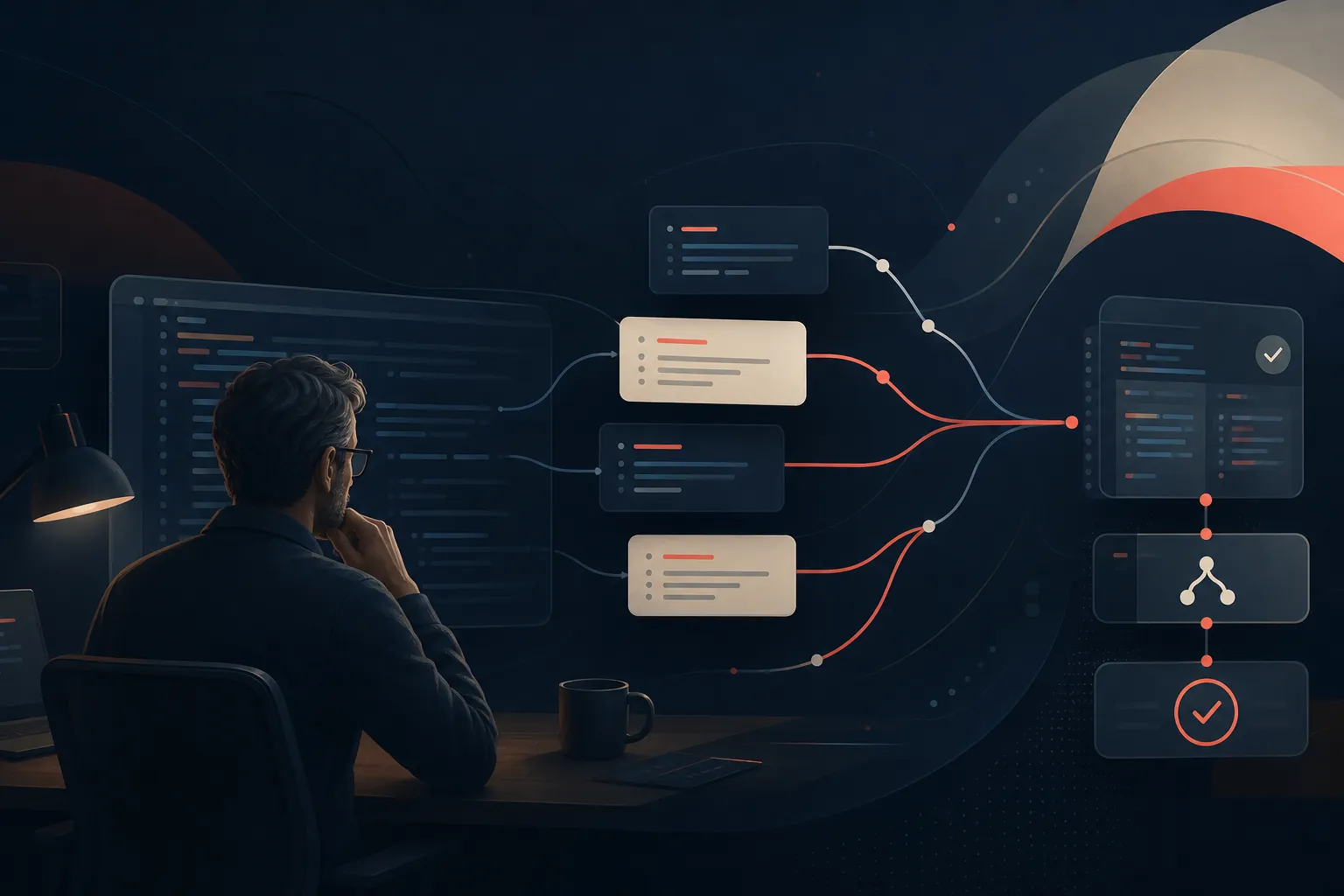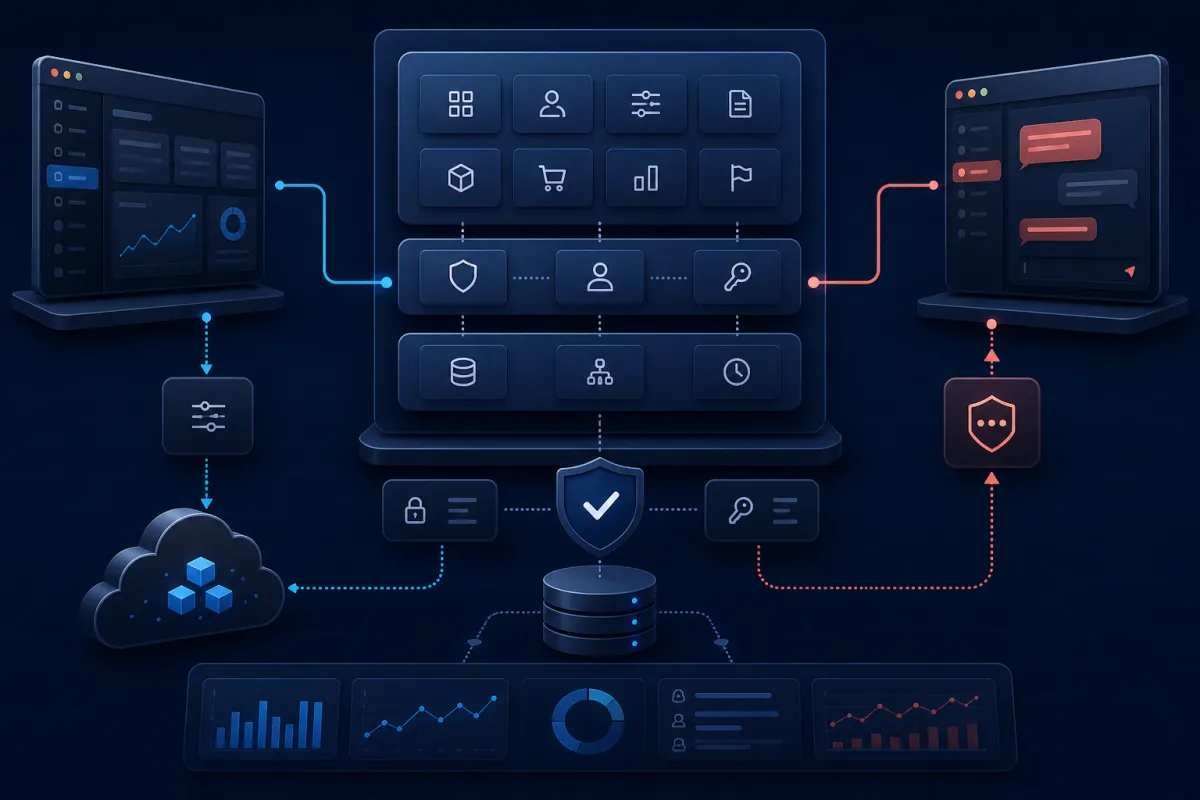
Businesses rarely need to replace the software that already runs their operations to adopt AI. An existing Laravel application, PHP portal, SaaS product, CRM, database, or internal system can remain the source of truth for users, permissions, records, and business rules. OpenAI can be added at a controlled boundary to interpret language, summarize information, draft material, or provide a conversational interface.
The best ChatGPT integration services begin with a valuable workflow, not a demand to make the whole company “AI-powered.” Custom PHP Design helps businesses connect OpenAI capabilities to existing applications without surrendering the authentication, authorization, validation, and operational controls those systems already provide.
Why Existing Software Is Usually the Right Foundation
Production business software contains more than screens and database tables. It encodes customer relationships, access rules, workflow states, reporting definitions, billing logic, audit history, and connections to other services. Rebuilding that foundation merely to add ChatGPT introduces migration risk without creating additional AI value.
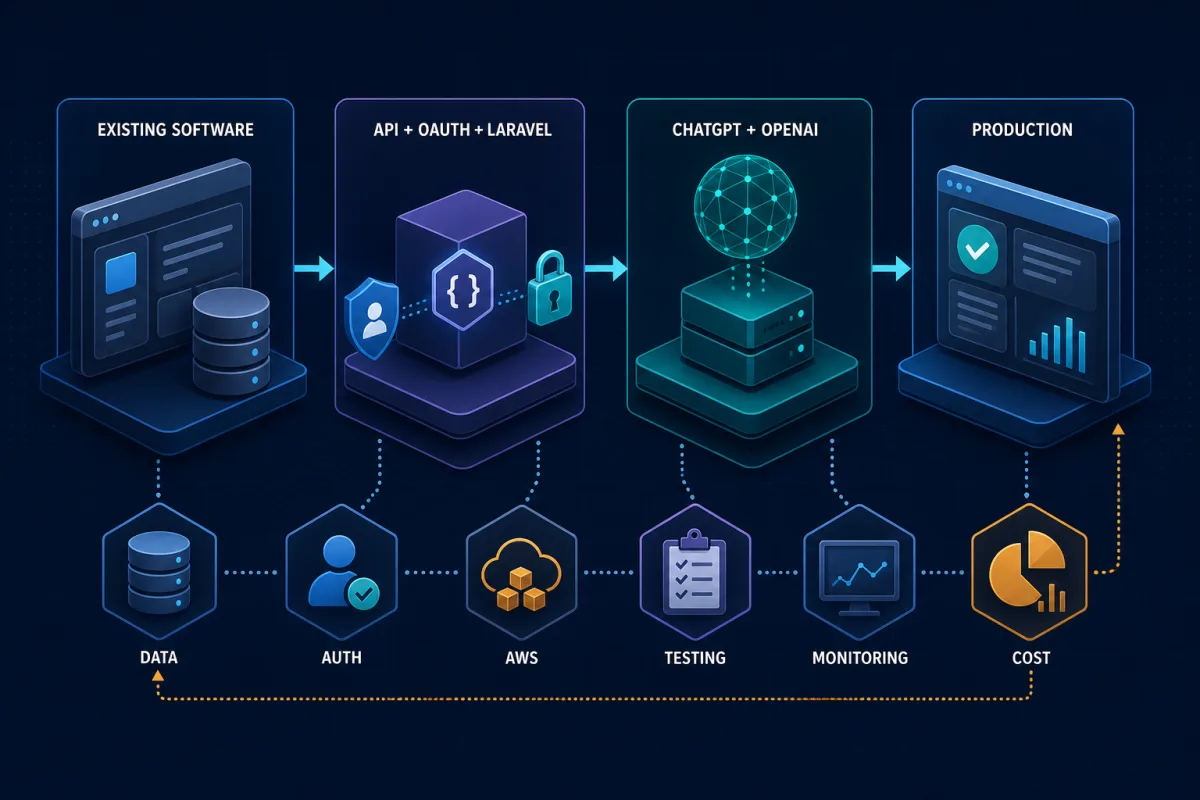
A focused ChatGPT business integration is additive. The application selects approved context, sends a bounded request, receives a model response, validates its shape, and decides how the result may be used. The database remains authoritative. Deterministic code still calculates totals, verifies inventory, enforces policy, and changes state. This approach can work with a modern Laravel system, a mature custom PHP application, a third-party CRM, or several connected platforms.
For a framework-specific implementation path, read how to integrate ChatGPT into an existing Laravel application. The ten examples below focus on business opportunities that apply across technology stacks.
1. Customer Support Assistance
ChatGPT can help support teams understand an incoming question, locate relevant information, summarize account context, and draft a reply. The existing help desk or customer portal continues to own the ticket, customer identity, status, and conversation history. The AI receives only the fields needed for the task.
A safe first version keeps a person in control: the model suggests a response, an employee reviews it, and the application records who approved the final message. Later phases might categorize tickets, recommend escalation, or answer low-risk questions from approved knowledge. Refunds, account changes, and commitments should still pass through normal authorization and business rules.
2. Internal Knowledge Search
Employees often know that an answer exists but not whether it lives in documentation, a policy library, project notes, or an internal database. A knowledge assistant can retrieve permitted passages and produce an answer with source references. This is more useful than asking a general model to guess from broad training data.
Access must follow the employee. A salesperson should not gain access to HR records because both collections use the same search system. Retrieval should filter documents by role, tenant, department, or record policy before content reaches the model. Citations, document dates, and links back to the source help employees verify the answer.
3. Document Summarization
Contracts, proposals, support histories, meeting notes, inspection reports, and long-form submissions can be condensed into consistent summaries. The application can ask for a defined structure such as key facts, deadlines, unresolved questions, risks, and recommended follow-up.
Useful summarization is a workflow rather than a copy-and-paste box. The system identifies the authorized document, extracts supported text, applies size and file-type limits, records the model and prompt version, validates the response, and preserves a link to the original. High-stakes legal, financial, or medical conclusions require qualified human review; a fluent summary is not proof that every detail is correct.
4. Natural-Language Reporting
A manager might ask, “Which customer segments had the largest increase in support volume this quarter?” instead of navigating a complex report builder. The model can interpret the question, but it should not receive unrestricted database access or invent SQL against production tables.
A safer design maps requests to approved metrics, filters, reporting services, or read-only query tools. The business application applies tenant and date boundaries, runs the query, and returns a structured result for explanation. Calculations remain reproducible in code. The AI helps people ask and understand; it does not redefine revenue, churn, margin, or other governed metrics.
5. Content Drafting and Review
Marketing, sales, support, and operations teams can draft product descriptions, email variants, release notes, knowledge-base entries, and customer-specific explanations from data already held in the application. Review workflows can also flag missing information, inconsistent tone, unsupported claims, or policy concerns.
The valuable integration connects generation to the real content lifecycle. It loads approved facts, applies brand or compliance instructions, saves a draft rather than silently publishing, and routes the result through existing review permissions. Version history should distinguish model output from the final human-approved content.
6. Data Extraction and Classification
Models can turn unstructured emails, PDFs, notes, and form responses into candidate structured data. Common examples include extracting names and dates, identifying request types, tagging feedback themes, routing leads, or detecting whether a submission needs manual attention.
Ask for a strict structured response and validate every field. Required values, enumerations, date formats, identifiers, confidence thresholds, and cross-record rules still belong in application code. Low-confidence or high-impact results should enter a review queue. The original source should remain available so a reviewer can see why a classification was proposed.
7. CRM and Customer Workflows
A CRM integration can summarize account activity before a call, draft a follow-up, identify an unanswered question, suggest a next step, or convert meeting notes into proposed tasks. The CRM remains responsible for contacts, opportunities, permissions, ownership, and activity history.
Separate suggestions from actions. Drafting a follow-up is different from sending it; proposing a task is different from assigning it; detecting purchase intent is different from changing a forecast. Explicit confirmation, idempotency protection, and audit records reduce the risk of duplicated or unintended changes.
8. AI Features Inside SaaS Applications
SaaS companies can add domain-specific assistants, guided onboarding, semantic search, smart form completion, content transformation, or explanations of account data inside the product customers already use. This is usually an Existing App → OpenAI API architecture: the signed-in product controls the experience and calls the model through a server-side integration.
The strongest features use proprietary workflow context that a generic chat interface does not have. They also fit the product's subscription limits, tenant separation, usage tracking, and support model. Provider costs, latency, rate limits, failure states, and abuse controls should be part of product design rather than discovered after launch.
9. Internal Employee Assistants
An internal assistant can help an employee prepare a project update, explain a process, find an account, compare approved options, or start a routine workflow. It may appear inside an internal portal, Slack-like interface, admin dashboard, or custom application.
The assistant should inherit the employee's real authority rather than operate as an all-powerful shared service account. Read operations and write operations deserve separate permissions. Sensitive fields can be removed before model processing, and consequential actions can require confirmation inside the authoritative application.
10. Custom GPTs Connected Through GPT Actions
A custom GPT can become a conversational doorway into selected business capabilities. GPT Actions describe those capabilities with an OpenAPI schema and let ChatGPT call application endpoints. For example, an authorized customer could ask a GPT to retrieve an order status, find an account document, create a support request, or prepare a permitted report.
The schema helps the GPT understand an operation, but it is not a security boundary. The business API must authenticate the caller, authorize every record and operation, validate inputs, enforce rate limits, and return controlled responses. When private user data is involved, OAuth commonly supplies delegated identity and scopes. Our production guide explains ChatGPT GPT Actions with Laravel, OAuth, and APIs in depth.
Three ChatGPT Integration Architectures
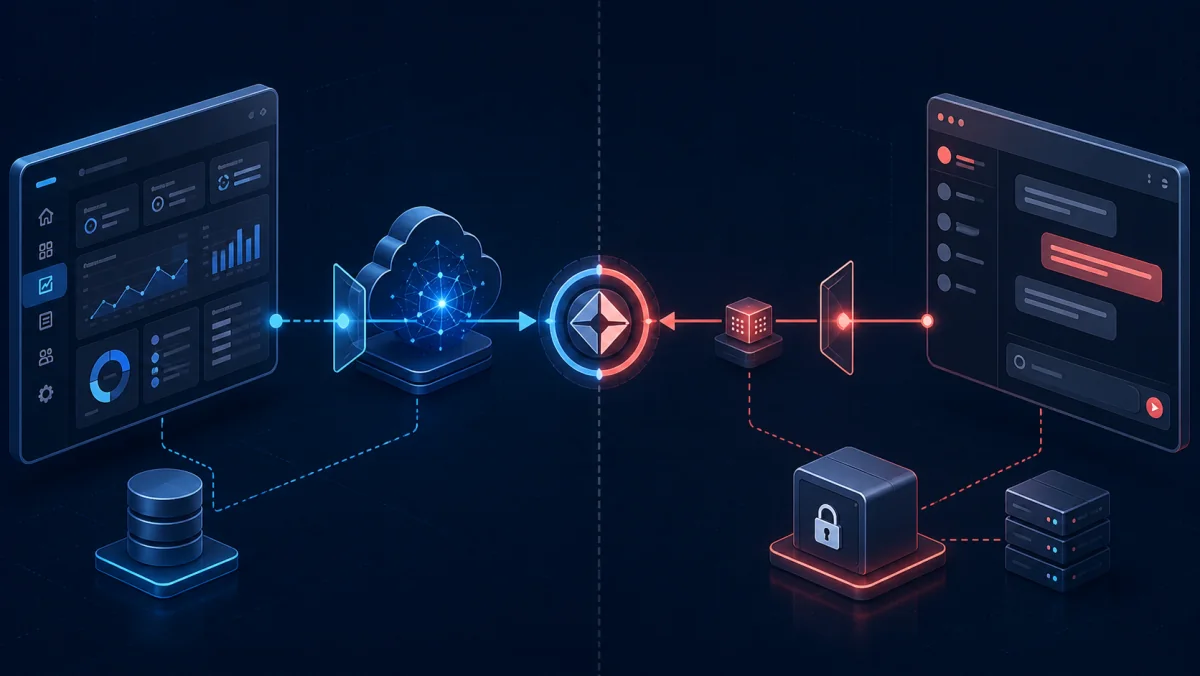
The same use case can feel very different depending on where the interaction begins. Choosing the direction early prevents a team from building the right technical pieces around the wrong user experience.
Existing App → OpenAI API
The user works inside the existing application. Laravel, PHP, SaaS, or CRM code chooses the context and calls OpenAI from the server. This architecture fits support drafting, summarization, classification, embedded SaaS features, and natural-language reporting. It gives the application direct control over the interface, data selection, result validation, usage limits, and persistence.
Custom GPT → GPT Actions → Business Application
The user begins inside ChatGPT. A custom GPT selects an operation from an OpenAPI definition and calls a narrow business API. This fits conversational access to account-specific information or workflows when ChatGPT is the intended interface. The API—not the GPT—remains responsible for authentication, OAuth scopes, authorization, validation, tenant isolation, and business rules.
A Hybrid Approach Using Both
A business may offer embedded AI inside its product and a custom GPT for users who prefer ChatGPT. Both interfaces should reach the same application services and policy layer rather than duplicate business logic. The embedded feature might draft and analyze inside the product, while GPT Actions retrieve or initiate a limited set of account workflows.
Our detailed comparison of GPT Actions vs. the OpenAI API covers when each direction fits, when a hybrid is justified, and when a deterministic feature is better than either.
Security and Control Belong Around the Model
AI access should be narrower than ordinary application access, not broader. Before any model request or GPT Action reaches business data, the integration should answer six questions:
- Who is the user? Use the application's existing session, API authentication, or an appropriate OAuth flow. Never trust an identity supplied only in model-generated arguments.
- What may this identity do? Enforce roles, policies, scopes, tenant boundaries, ownership, and record-level authorization in code.
- What data is necessary? Select the minimum context for the task. Exclude secrets and unnecessary personal, financial, or confidential fields.
- Is the request valid? Treat model and Action inputs as untrusted. Apply normal types, limits, enumerations, business rules, and injection-resistant query boundaries.
- Can the output be trusted here? Validate structured responses and require human approval for high-impact decisions, external communications, or state changes.
- Can the workflow be audited and stopped? Record safe decision metadata, monitor cost and errors, rate-limit calls, handle provider failure, and preserve an operational fallback.
OAuth is particularly important when a custom GPT needs user-specific access. It can express delegated scopes, but a valid token does not prove that the user may access every record. Authorization policies must still evaluate the requested object and action. Likewise, an OpenAPI schema describes the contract; server-side validation enforces it.
How to Choose a First Integration
Start with a workflow that is frequent, language-heavy, expensive enough to matter, and safe enough to review. Measure the current time or error rate, define what a useful response looks like, and identify the authoritative data and human owner. A support-drafting or document-summary pilot is often easier to evaluate than an autonomous workflow that can change customer records.
Then build a narrow production slice: one user group, one permitted data source, one defined output, clear validation, and visible review. Test realistic good and bad inputs, attempts to cross account boundaries, provider timeouts, malformed output, and cost limits. Expansion should follow evidence from actual use rather than a broad roadmap based on demonstrations.
Add AI Without Replacing the Software That Works
The durable pattern is straightforward: preserve the application that knows the business and add AI where language and interpretation create measurable value. Whether the interface is an existing portal, a SaaS feature, an employee assistant, or a custom GPT, APIs and application code should control identity, data, permissions, validation, and final actions.
Custom PHP Design builds production ChatGPT integration services involving Laravel, PHP, OpenAI APIs, custom GPT development, GPT Actions development, OAuth, databases, AWS, and existing business applications. We can evaluate the current system, choose the right architecture, implement the controlled integration, and support its production operation.
Request an AI integration consultation to discuss a focused first capability for the software your business already relies on.