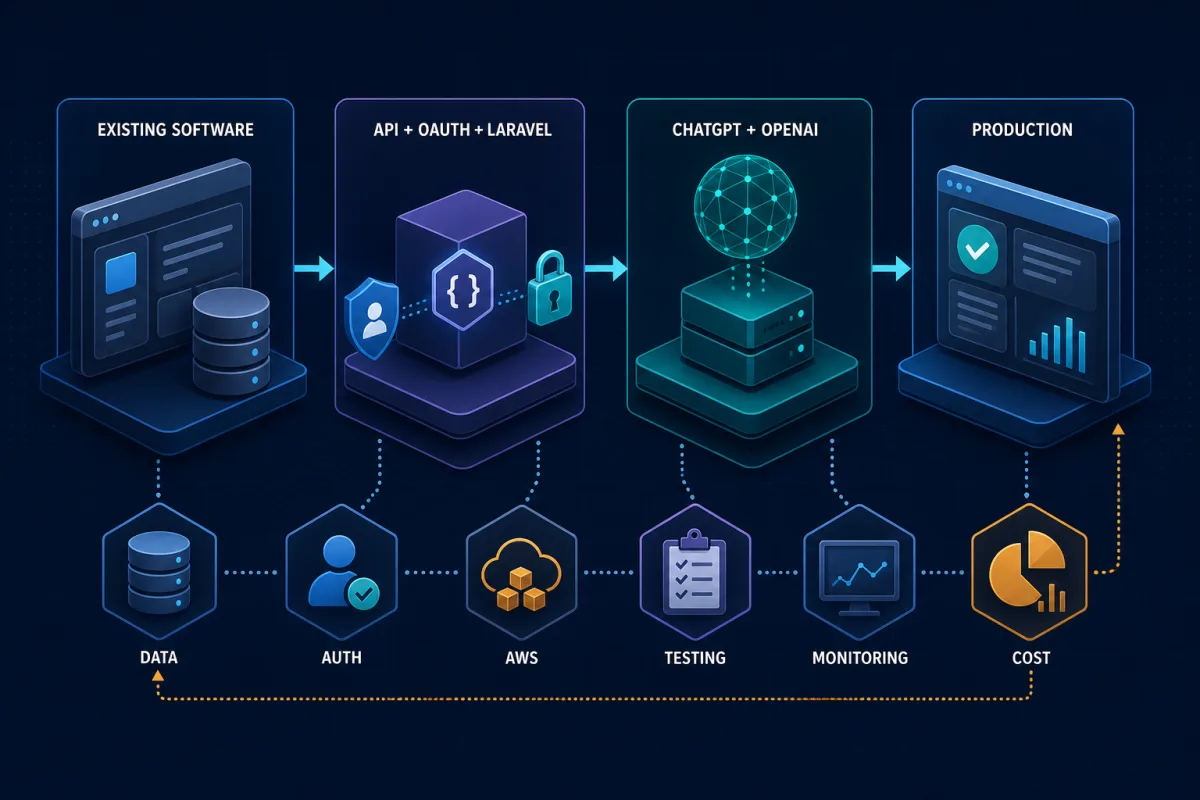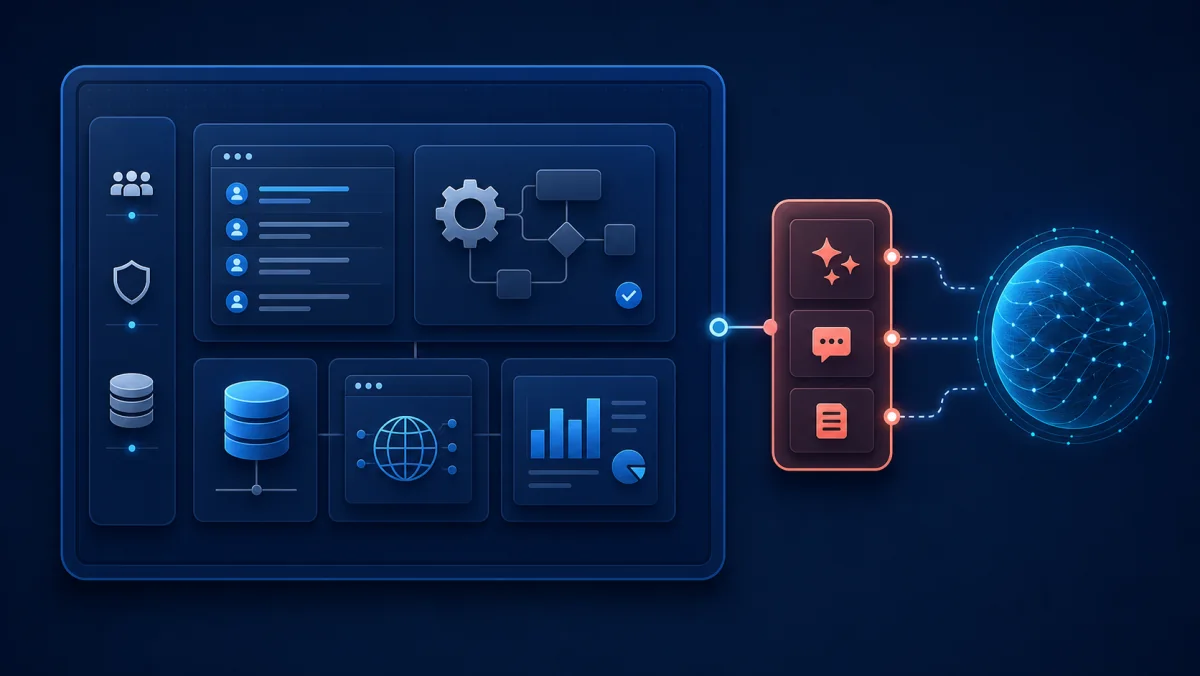
A working Laravel application already contains years of decisions and business value. It knows who the users are, which records they can see, how an order changes state, when an invoice is final, what belongs in an audit trail, and which integrations keep the business moving. A production ChatGPT integration should add capability without discarding those foundations.
In most applications, the safer architecture is incremental. Laravel continues to own users, permissions, database records, workflows, APIs, and deterministic business rules. A focused AI service receives a controlled input, calls a model, validates the result, and returns it to the application. The model becomes one capability inside the product rather than the product's new source of truth.
That distinction matters for companies evaluating ChatGPT integration services. The goal is not to make every screen “AI-powered.” It is to find a specific task where model capabilities are useful, connect that task to the existing application safely, and operate it with the same production discipline as any other third-party service.
Where ChatGPT Fits Into an Existing Laravel Application
ChatGPT and the OpenAI API are useful when the requested behavior depends on language, interpretation, synthesis, or flexible classification. They are not replacements for code that must produce one correct, repeatable result. Laravel should still calculate totals, enforce subscription rules, decide whether a user may update a record, transition workflow states, and persist authoritative data.
Good first integration points tend to have a narrow input, a reviewable output, and a clear fallback. Examples include:
- summarizing a support conversation or account history;
- drafting a response for an employee to review;
- extracting structured fields from documents;
- classifying an inbound request into established categories;
- searching internal knowledge through a natural-language interface;
- creating a first draft of product or editorial content;
- explaining a report in plain language;
- routing work to an existing application workflow; or
- identifying records that need human attention.
In each example, Laravel provides the context and constraints. It selects the records, checks the user's authority, removes information the model does not need, chooses the operation, and decides what happens to the response. The model performs a bounded inference task. This division keeps the existing application understandable and makes the new behavior easier to test.
A Production Architecture for ChatGPT Integration
The simplest useful architecture is:
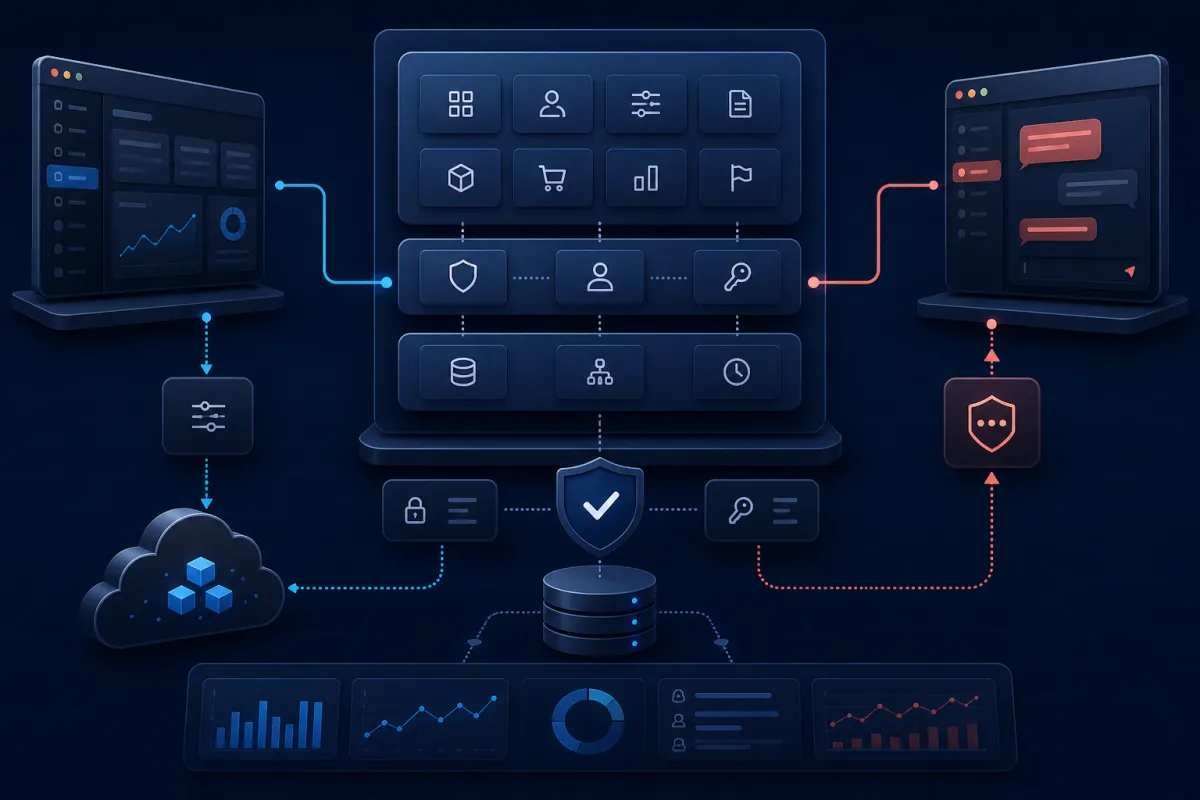
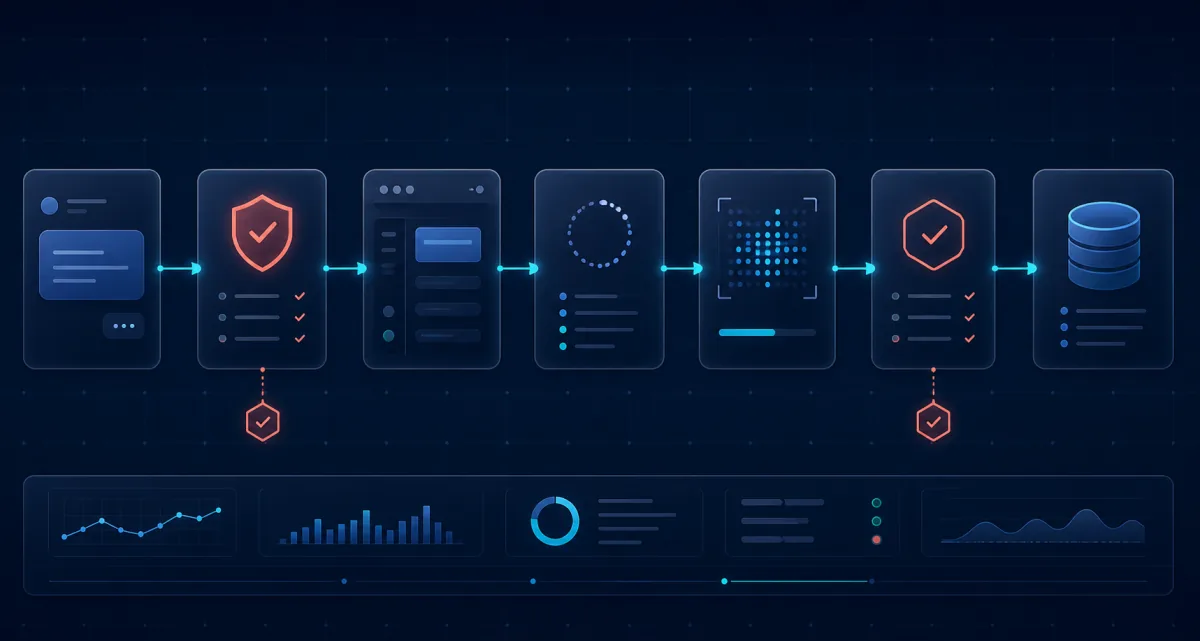
The apparent simplicity of that line should not hide the systems that remain beside it. The Laravel application still has authentication, authorization policies, models, database transactions, caches, internal APIs, notifications, logging, and deployment configuration. Those systems do not move into the model. They surround the AI call and determine whether it is safe and useful.
User and application interface
The request normally begins in an interface the application already controls: an admin button, a form, an API endpoint, a document-processing screen, or a customer workflow. That interface can explain what the AI operation does, gather an intentional input, and show whether the output is a suggestion or an authoritative application result.
Laravel application boundary
Laravel authenticates the request, authorizes access to relevant records, validates input, and assembles only the context required for the operation. It can also enforce account-level usage limits, feature availability, and human approval requirements before any data leaves the application.
AI service layer
A dedicated service converts application data into a provider request. It chooses the model and configuration, applies a versioned instruction, imposes timeouts and token limits, requests a structured response where appropriate, and converts provider-specific failures into application-level errors.
Provider and validated result
The provider performs inference. Laravel then treats the response as untrusted input: parse it, validate its shape, check values against business rules, and decide whether to display, store, reject, or route it for human review. A fluent answer is not automatically a valid application result.
Keep AI Behind a Service Layer
A common prototype places a raw HTTP request directly in a controller. That proves connectivity, but it creates an awkward long-term dependency. If several controllers each know provider URLs, model names, prompts, response formats, and retry behavior, the application soon has multiple subtly different AI integrations.
A better conceptual path is:
Controller
  → AccountSummaryService
    → AiClient contract
      → OpenAiClient
        → validated SummaryResult
The controller should coordinate the HTTP interaction. An application service should describe the business use case. A narrow AI client contract should hide provider details. The OpenAI implementation should own transport, authentication, timeouts, and response parsing. A typed or otherwise validated result should cross back into the application.
This boundary provides practical advantages:
- Testing: a fake AI client can return known successes, refusals, malformed output, timeouts, and rate-limit errors.
- Central configuration: credentials, models, budgets, and timeouts are not duplicated across controllers.
- Provider flexibility: business services depend on an application contract instead of a vendor response shape.
- Prompt management: instructions can be named, versioned, reviewed, and associated with the output they produced.
- Operational consistency: logging, token accounting, retries, and failure translation happen in one place.
- Safer changes: model or SDK updates do not require rewriting unrelated application workflows.
The service layer does not need to become a large abstraction framework. One interface, one provider implementation, and one application service for the first workflow may be enough. The point is to create a deliberate boundary before AI logic spreads through the codebase.
Use Background Processing for Long-Running AI Work
Not every AI operation belongs inside an HTTP request. A short classification or draft may complete quickly enough for an interactive response. Document analysis, bulk enrichment, large summaries, multi-step reports, and batches of records can take longer or encounter provider throttling. Making a browser wait through that work creates timeouts and a poor recovery path.
The general asynchronous flow is:
In a Laravel environment that already operates queue workers, a job can be a natural execution unit. The job should be idempotent where practical, record its current state, distinguish retryable errors from permanent validation failures, and avoid sending the same expensive request repeatedly after an ambiguous timeout.
Persistent workers are not the only valid deployment model. A self-contained application may start an authenticated, detached server-side process, invoke a short-lived container or serverless task, or use an external managed queue and consumer. Choose the mechanism the deployment can actually operate. Do not introduce a worker fleet or scheduler merely because a code example uses ShouldQueue.
Whatever mechanism runs the task, persist enough state for the application to answer basic questions: Was the work accepted? Is it running? Which prompt version and model were used? Did it fail? Can it be retried safely? Where is the reviewed result? Background execution without visible state is difficult to support.
Keep Your Existing Database as the Source of Truth
A model can summarize customer activity, suggest a category, or draft a status explanation. It should not become the authoritative source for customers, orders, users, permissions, balances, subscription states, or workflow records. Those facts belong in the application database and are changed through established business rules.
This is partly about accuracy and partly about control. Model context is temporary. Responses may vary. Provider retention settings and data-handling terms are separate from your application's storage model. An audit trail should show the application event and the approved result, not depend on reconstructing a conversation with a model.
Retrieve the smallest useful context for each operation. If an employee asks for a summary of one support case, the AI service probably needs the authorized case messages and selected account facts—not the entire customer table. If a workflow classifies an uploaded document, it may need the document text and allowed category definitions—not unrelated billing records.
Data minimization improves security, reduces token usage, lowers cost, and helps the model focus. It also makes the integration testable: developers can name exactly which fields leave the application and why.
Authentication and Authorization Still Belong to Laravel
Prompts do not create a security boundary. If a user asks, “Summarize this customer's account,” Laravel must first establish which authenticated user made the request and whether that user may view that customer. Only after the same policy or business rule used elsewhere in the application approves access should customer data be assembled for the model.
Existing middleware, policies, gates, role checks, tenant scopes, and service-level authorization remain relevant. AI features should reuse them. Creating a parallel “AI permission system” inside prompt text makes behavior harder to reason about and easier to bypass.
Authorization also applies after inference. A generated suggestion should not cause an order refund, publish content, send a message, or change a workflow state unless Laravel validates the proposed action and the current user is authorized to perform it. For consequential operations, an explicit confirmation or human approval step is often appropriate.
Most embedded features use the OpenAI API: Laravel initiates the request and controls its context and result. If the experience should begin inside ChatGPT, a GPT Action can instead call a secured application API. The application must still authenticate, authorize, validate, and enforce business rules. See our guides to connecting GPT Actions to Laravel with OAuth and APIs and choosing between GPT Actions and the OpenAI API.
ChatGPT Integration vs Building a Chatbot
A chatbot is one possible interface, not the definition of a ChatGPT integration. A chat window can be useful when people need a conversational way to find information or start a workflow, but many of the highest-value AI features operate behind ordinary screens and buttons.
A support agent might click “Draft reply” inside a ticket. An administrator might upload a document and receive proposed fields. A nightly import might classify records for review. A reporting screen might explain approved metrics in plain language. A customer may never see a chat interface at all. In each case, Laravel selects the permitted data, calls the model for a narrow task, and keeps the existing workflow in control.
This backend approach often fits business software better than a general-purpose chatbot because it reduces ambiguity. The application knows the user, the record, the intended operation, and the acceptable output before the model is called.
Production Concerns Developers Often Miss
Receiving a successful response from the API is an integration milestone, not proof of production readiness. Real operation introduces constraints that a happy-path prototype rarely exercises.
Timeouts, rate limits, and retries
Set explicit connection and response timeouts. Decide which failures may be retried and apply bounded backoff. A rate-limit response may be temporary; an invalid request will not improve on its fifth attempt. For stateful or costly operations, attach an application idempotency key or otherwise prevent ambiguous retries from producing duplicate effects.
Structured outputs and validation
If the application needs fields, request a structured response and validate it server-side. Confirm required keys, types, ranges, allowed values, referenced record identifiers, and business invariants. Reject malformed or unauthorized proposals. JSON syntax alone does not make an answer trustworthy.
Cost and usage visibility
Record which feature, account, model, and prompt version produced usage. Track token counts or the provider's equivalent billing dimensions. Apply limits appropriate to the product. Cost visibility is more useful at the workflow level than as one unexplained monthly provider bill.
Logging without leaking sensitive data
Logs should help trace a request across the controller, application service, provider call, and result handling without recording API keys or unnecessary customer content. Use correlation identifiers, status codes, latency, model identifiers, safe error categories, and redacted metadata.
Graceful degradation
Decide what the application does when the provider is slow or unavailable. A drafting feature may show a retry option. A classification pipeline may hold the item for manual review. The application's core records and workflows should remain usable when the optional AI capability is down.
Secrets and configuration
Keep credentials outside source code, limit who and what can read them, rotate them, and separate environments. Model names, timeouts, budgets, and feature switches also belong in controlled configuration rather than scattered literals.
This surrounding work is where experienced production ChatGPT integration services provide value. The model call may be a few lines; the dependable application behavior around it is a software-engineering system.
Example: Adding AI to an Existing Customer Portal
Consider a Laravel customer portal where authenticated customers view projects, upload documents, open support requests, and communicate with an account team. The company wants faster support and document intake, but it does not want a separate AI portal or a new customer database.
The first feature adds a “Prepare summary” action to an existing support case. Laravel authenticates the customer or employee, applies the current case policy, loads only permitted messages and account facts, and sends that bounded context through a SupportCaseSummaryService. The AI client requests JSON containing a concise summary, unresolved questions, and a suggested next action. Laravel validates every field and stores the result as a draft linked to the case. An employee reviews it before anything is sent.
A second feature extracts candidate fields from uploaded forms. Existing upload rules still govern file type and size. Existing permissions still govern who can view the document. The model proposes names, dates, and categories, but a Form Request and domain service validate formats, allowed categories, and related record IDs before saving. Low-confidence results go to the portal's existing review workflow.
The portal retains its database, authentication, permissions, audit trail, notifications, APIs, and deployment model. AI improves two language-heavy tasks while Laravel remains responsible for every authoritative fact and state change. That is the difference between a production integration and an isolated demo.
A Practical Incremental Integration Strategy
Phase 1 — Choose one workflow
Select one useful and measurable task, such as summarizing an internal support conversation. Define who can start it, what data it needs, what a good result contains, whether a human must review it, and what should happen when AI is unavailable.
Phase 2 — Build one AI service boundary
Create a narrow application service and provider client. Centralize configuration, timeouts, prompt instructions, response parsing, and error translation. Avoid creating a general autonomous-agent platform for a single summary feature.
Phase 3 — Reuse authorization
Run the same policies and tenant constraints used by the rest of the application before retrieving context. Minimize the supplied fields and document the data boundary.
Phase 4 — Choose the execution path
Keep short work interactive. Move slow or batch operations to an execution mechanism the environment supports, whether that is an existing queue, an application-triggered detached process, or a managed task. Persist visible status and make retries safe.
Phase 5 — Add production controls
Test malformed output, refusal, timeout, throttling, provider errors, authorization denial, duplicate execution, and unavailable dependencies. Add safe logs, latency and usage measurement, feature switches, and a manual fallback.
Phase 6 — Expand from evidence
Review real usage and failures before adding the next workflow. Reuse the stable provider boundary, but let each application use case define its own input, authorization, validation, and acceptance criteria.
Can ChatGPT Be Added to an Existing Laravel Application?
If the application already has reliable controllers, models, services, policies, APIs, databases, and deployment practices, most of them can remain exactly where they are. An AI feature can call existing services just as another controller or integration would. It can read authorized records through models or repositories, produce a proposed result, and hand that result back to an established workflow.
You probably do not need a rewrite when the first use cases are bounded, current authorization is trustworthy, data can be selected through existing application logic, and model traffic fits the application's operational capacity. The integration may require new classes, configuration, tables for operation state, and an execution path, but those are focused additions rather than a new application.
This approach also preserves optionality. The product can change providers, disable a feature, or remove an unsuccessful experiment without untangling AI assumptions from every domain object.
Frequently Asked Questions About ChatGPT Integration
What is ChatGPT integration?
ChatGPT integration connects model capabilities to an existing application, its approved data, and its business workflows through a controlled API and service layer. It can support drafting, summarization, classification, search, reporting, and workflow assistance without making AI the system of record.
Can ChatGPT integrate with Laravel?
Yes. Laravel can call the OpenAI API from a dedicated service, provide authorized context, request a structured response, validate it, and pass the approved result into an existing workflow.
Can ChatGPT be added to an existing PHP application?
Yes. A business usually does not need to rebuild its PHP application. A developer can add a narrow service or API boundary around one valuable workflow and expand incrementally.
How much does ChatGPT API integration cost?
Cost depends on workflow complexity, data access, security, interface design, model usage, testing, infrastructure, and ongoing support. API token charges are usually only one part of a production implementation.
Is ChatGPT integration secure?
It can be designed securely when the application authenticates users, authorizes records, minimizes private data, protects API keys, validates outputs, limits usage, and requires review for consequential actions.
What can ChatGPT automate in a business application?
Common uses include support drafts, document summaries, structured data extraction, request classification, internal knowledge search, report explanations, content drafts, and administrative workflow assistance.
Do I need to rebuild my application to add AI?
Usually not. Existing authentication, authorization, databases, APIs, rules, and workflows can remain in place while AI is added as another controlled service.
Plan a Controlled ChatGPT Integration
An established Laravel application is an asset. Its users, permissions, database, workflows, APIs, business rules, and operating history provide the foundation an AI feature needs. Keep those systems authoritative. Give the model a narrow job, a minimal context, and a validated path back into the application. The same approach applies to ongoing Laravel application development and mature systems that need focused custom PHP development.
If you already have a PHP or Laravel application and want to add ChatGPT or AI capabilities, Custom PHP Design can help identify the workflows where AI provides real value and integrate them into your existing production system. Explore our ChatGPT Integration Services or start with 10 practical ChatGPT integration ideas for existing software.
Discuss your AI integration and start with one useful workflow that fits the software your business already runs.