Understanding Laravel Image Migration and Upgrade Services
Laravel remains one of the most popular PHP frameworks worldwide, powering modern web applications with ease and flexibility. As technology landscapes and business demands evolve, organizations frequently face the necessity to migrate Laravel images—typically container images harboring Laravel applications—and upgrade them to newer Laravel versions or enhanced infrastructure setups. These efforts are critical to maintaining security, performance, and scalability in increasingly competitive markets.
What Is Laravel Image Migration?
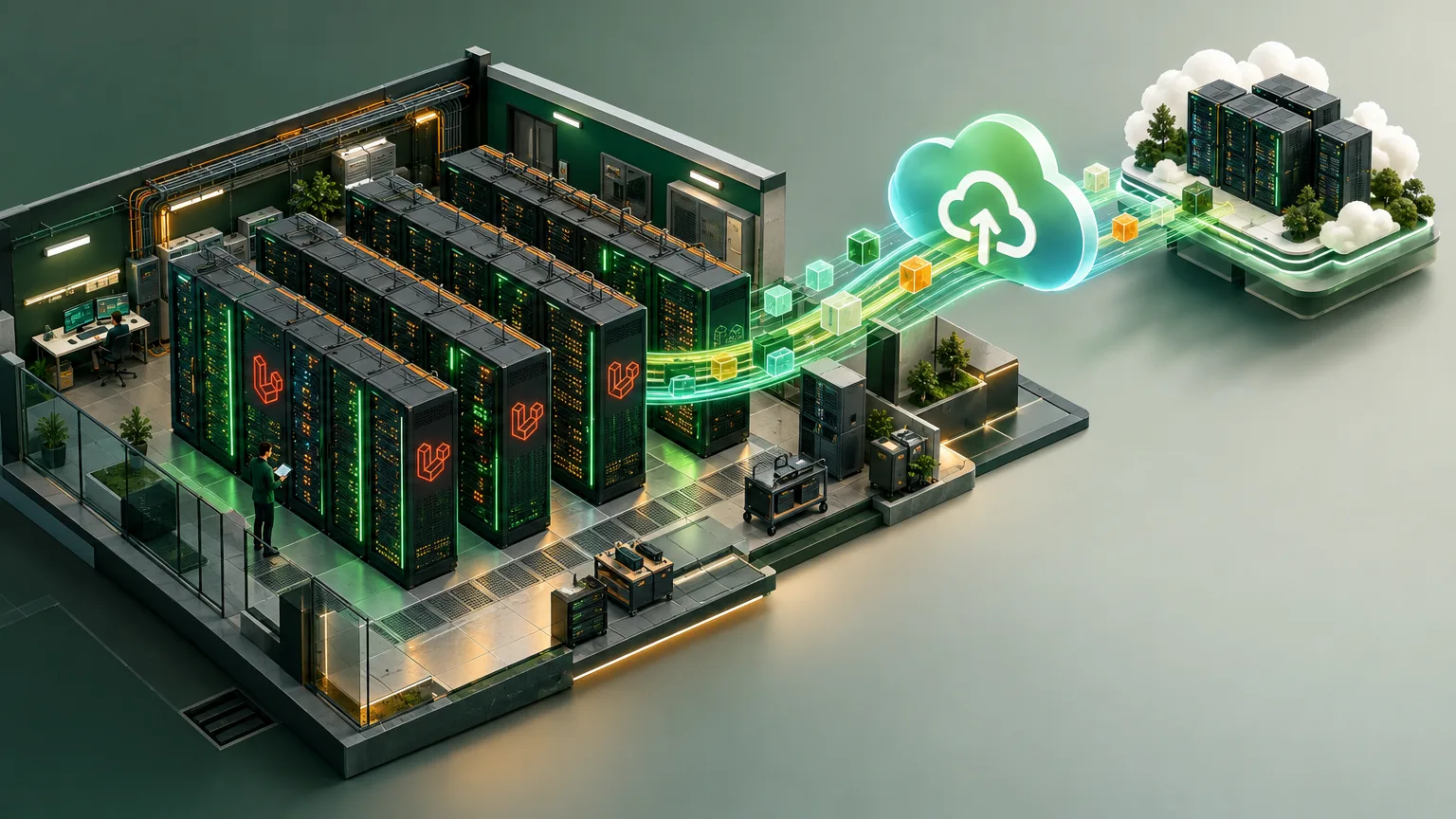
Image migration refers specifically to moving Laravel application container images from one environment, platform, or registry to another, ensuring that the Laravel app continues to operate seamlessly. Since contemporary Laravel deployments often rely on Docker or container orchestration systems like Kubernetes or AWS Elastic Container Service (ECS), migrating images involves more than a simple file transfer. It encompasses adapting container configurations, dependencies, networking, and environment variables to the target infrastructure, while ensuring compliance with organizational security and operational standards.
This migration might involve moving from self-managed on-premises Docker registries to cloud-hosted registries (such as Amazon ECR, Google Container Registry, or Azure Container Registry), or transitioning between cloud providers altogether. Key considerations include container compatibility with the target runtime, storage access for persistent data, and integration with associated services like databases, caches, and message brokers.
Why Upgrade Matters
Upgrading Laravel applications, for example moving from Laravel 7 to Laravel 10, delivers substantial advantages beyond mere feature additions. Laravel upgrades contribute to:
- Security Enhancements: Patching vulnerabilities discovered in earlier versions.
- Performance Improvements: Optimizations in query builders, route caching, and faster job dispatching.
- Compatibility: Support for updated PHP versions and modern development tools.
- New Features: Support for newer Blade components, improved job batching, and native support for event broadcasting.
However, Laravel upgrades necessitate thorough impact analysis and regression testing, as breaking changes or deprecated features may affect existing business functionality or integrations.
Business Drivers for Laravel Image Migration and Upgrade
- Scalability: Migrating to a more scalable, container-based infrastructure—such as Kubernetes or AWS ECS—allows dynamic resource allocation to meet growing user loads.
- Security Compliance: Upgrading Laravel and associated runtime environments ensures alignment with security policies and compliance standards such as PCI-DSS or GDPR.
- Cost Efficiency: Migrating to optimized hosting environments and upgrading to leaner, multi-stage Docker containers reduces infrastructure and maintenance expenses.
- Technology Modernization: Exploiting modern Laravel features and improved deployment pipelines enhances development velocity and application robustness.
- Reliability: Utilizing cloud-native load balancing, auto-scaling, and disaster recovery mechanisms yields higher uptime and better fault tolerance.
Key Challenges in Laravel Image Migration and Upgrade
These activities present considerable technical and operational challenges, including:
- Compatibility Issues: Ensuring PHP extensions, Laravel service providers, and third-party packages support the new version and runtime environment.
- Database Migration: Coordinating schema migrations and data replication across heterogeneous database systems or cloud regions.
- Downtime Minimization: Designing deployment strategies like blue-green or canary deployments to avoid service interruptions.
- Container Configuration: Accurately configuring supporting services like PHP-FPM, Nginx or Apache HTTP Server, and reverse proxies within containers to interface correctly with load balancers.
- Testing and Rollback: Implementing robust automated and manual testing pipelines, along with reliable rollback mechanisms in case of failure.
- Security Hardening: Incorporating best practices for secrets management, container image scanning, and runtime security enforcement.
- Operational Monitoring: Integrating observability tools for logs, metrics, and tracing to monitor application health post-migration.
Step-by-Step Technical Approach
1. Assessment and Planning
Begin with a comprehensive audit of your existing Laravel environment. Document Laravel version, PHP version, installed PHP extensions, third-party packages, environment variables, and CI/CD pipelines. Catalog your current container architecture and its integration with web servers, databases, queues, and caches.
Define the target architecture, including:
- Laravel and PHP target versions.
- Container runtime and orchestration platform (e.g., Kubernetes, AWS ECS Fargate).
- Docker registry and image storage.
- Deployment and scaling policies.
Consider compliance and security requirements to scope the migration and upgrade accordingly.
2. Upgrade the Laravel Application Code
Follow Laravel’s official upgrade guides available on laravel.com meticulously. Incrementally upgrade major versions if jumping multiple releases, as skipping versions increases risk.
Update dependencies using Composer with:
composer update --no-dev --optimize-autoloader
This ensures production-ready dependencies without development packages and optimized class autoloading.
Resolve any code-breaking changes, deprecated helper functions, or modified middleware behavior. Employ static analysis tools like PHPStan or Psalm and automated tests to catch regressions early.
3. Construct Production-Grade Docker Images
Craft Dockerfiles optimized for production use. Multi-stage builds reduce image size and improve security. An example for Laravel running PHP 8.4 with necessary extensions and configured Nginx might look like this:
FROM php:8.4-fpm-alpine AS build
RUN apk add --no-cache git unzip libzip-dev zip freetype-dev libpng-dev libjpeg-turbo-dev
RUN docker-php-ext-configure gd --with-freetype --with-jpeg
RUN docker-php-ext-install pdo_mysql zip gd
# Copy Composer binary from a Composer official image
COPY --from=composer:2 /usr/bin/composer /usr/bin/composer
WORKDIR /app
COPY . .
RUN composer install --no-dev --optimize-autoloader

FROM php:8.4-fpm-alpine
RUN apk add --no-cache nginx
COPY --from=build /app /app
COPY ./nginx.conf /etc/nginx/nginx.conf
COPY ./supervisord.conf /etc/supervisord.conf
WORKDIR /app
# Set permissions
RUN chown -R www-data:www-data /app/storage
# Expose necessary ports
EXPOSE 80
CMD ["/usr/bin/supervisord", "-c", "/etc/supervisord.conf"]
This example assumes using supervisord to run both PHP-FPM and Nginx in one container for simplicity; however, production setups often separate these concerns into different containers per microservices best practices.
4. Testing: Local, Staging, and Integration
Comprehensive testing is non-negotiable. Apply multiple tiers of testing including:
- Unit Tests: Validate individual components behave correctly.
- Integration Tests: Confirm interactions with databases and external services.
- End-to-End Tests: Simulate user workflows to ensure application integrity.
- Performance Tests: Benchmark latency, throughput, and resource usage.
- Security Scans: Use tools to identify vulnerabilities and misconfigurations.
Deploy the image to a staging environment closely matching production, enabling full system validation including load balancer integration, autoscaling, and database migrations.
5. Database Migration Strategy
Database migration requires careful orchestration due to its criticality. Recommended approaches include:
- Schema Migrations: Use Laravel’s migration system (
php artisan migrate) for incremental, reversible schema changes. - Data Synchronization: Utilize replication mechanisms or batch data transfer tools to synchronize content, minimizing downtime.
- Version Compatibility: Ensure database driver versions and schema structures are validated against the upgraded Laravel version.
- Transaction Management: Apply migrations inside database transactions where supported to facilitate rollbacks.
Test database migrations in staging with realistic production data copies to spot issues in advance.
6. Deployment and Rollout Strategies
Employ deployment methods that minimize disruption:
- Blue-Green Deployment: Maintain two identical production environments—new version deployed in "green" while "blue" serves traffic, then switch traffic after validation.
- Canary Deployment: Gradually route a small percentage of users to the new version, expanding as confidence grows.
- Rolling Update: Update containers incrementally without taking the whole service offline.
Configure application load balancers (ALBs) with precise health checks. ALBs cannot directly invoke PHP-FPM containers; an HTTP web server (Nginx or Apache) or reverse-proxy container must front PHP-FPM to respond to ALB health and traffic requests.
Example ALB configuration considerations:
- Health check path (e.g.,
/health) responding HTTP 200 status. - Timeouts aligned with application response times.
- Stickiness settings if session affinity is needed.
7. Post-Deployment Monitoring and Rollback
After rollout, continuously monitor logs (via ELK stack or cloud logging), application telemetry (using tools like New Relic or Datadog), and container health metrics. Prepare automated alerts for service degradation.
Keep rollback procedures ready, including redeployment of previous images, database backup restoration where needed, and traffic switching mechanisms.
Laravel Image Migration and Upgrade Service Comparison
| Service Features | In-House | Specialized Contractor | Full-Service Provider |
|---|---|---|---|
| Upgrade Expertise | Variable—depends on internal team’s PHP and Laravel experience | High—experience with Laravel migration projects | Very High—end-to-end Laravel and DevOps expertise |
| Operational Overhead | High—internal resources diverted from core tasks | Moderate—managed project timelines | Low—handles entire lifecycle and support |
| Cost | Low initial cost but potential for overruns | Moderate—project-based pricing | Higher initial investment; includes SLA-based support |
| Risk Mitigation | Dependent on team skills; risk of hidden issues | Moderate; contractor manages technical risks | Comprehensive risk management and testing |
| Post-Migration Support | Inconsistent; reliant on internal team availability | Project-based; may have limited ongoing support | Ongoing SLA-supported maintenance and monitoring |
| Security & Compliance | Variable; may lack dedicated security focus | Adheres to specified requirements | Includes security best practices and governance |
Pricing and Assumptions
Cost estimates for Laravel image migration and upgrading depend on multiple variables, including:
- Region: North America or EU, accounting for data sovereignty and labor costs.
- Workload: Medium-sized Laravel application, servicing approximately 1,000 daily users with typical CRUD operations and some background jobs.
- Infrastructure: Target cloud platform supporting container orchestration and auto-scaling.
- Uptime & Redundancy: Target 99.9% uptime with multi-AZ load balancer setup.
- Traffic & Data Transfer: Around 500GB outbound data monthly, variable peak usage.
- Complexity: Moderate third-party integrations, minimal frontend refactoring.
- Excluded Services: Major database redesign, frontend rewriting, or third-party API modifications.
Professional service fees vary significantly depending on vendor expertise, scope, and SLA terms. Infrastructure costs require precise calculation using cloud provider cost calculators (AWS Pricing Calculator, Google Cloud Pricing, Azure Pricing Calculator) incorporating compute hours, data transfer costs, storage, and ancillary services like managed databases or container orchestration fees.
FAQs about Laravel Image Migration and Upgrade Services
How long does a typical Laravel upgrade and migration take?
Timelines vary by application complexity and testing rigor but typically span from one to four weeks, encompassing planning, development, testing, deployment, and post-migration validation.
Can I migrate Laravel images between different cloud providers?
Yes. Container images can be pushed to intermediary container registries and deployed on different clouds. Adjustments to environment configurations, networking, and storage dependencies are essential.
What are the key Laravel versions to upgrade between?
Common upgrade paths include Laravel 6 (LTS) to Laravel 9 or 10. Each major release introduces backward-incompatible changes, so incremental upgrades mitigate risk.
Is zero downtime migration achievable?
Yes. Through strategies such as blue-green deployments, rolling updates, load balancing, and database replication, near-zero downtime migrations are feasible.
What security considerations should I address during migration and upgrade?
Include secrets management (using tools like HashiCorp Vault or AWS Secrets Manager), container image scanning for vulnerabilities, least-privilege access controls, secure transport protocols (TLS), and regular patching of underlying OS and runtime dependencies.
How do I handle custom PHP extensions or non-standard packages?
Identify all PHP extensions used and verify availability on the target base image or orchestrate custom builds. For proprietary or legacy packages, ensure compatibility with the upgraded Laravel and PHP versions.
Are there recommendations for logging and monitoring after migration?
Integrate centralized logging (e.g., ELK/EFK stack), application performance monitoring (New Relic, Datadog), and alerting systems. Ensure logs include context such as request IDs and user sessions for efficient troubleshooting.
Conclusion: Why Professional Laravel Image Migration and Upgrade Services Matter
Laravel image migration and upgrades are intricate processes that require in-depth Laravel framework knowledge, containerization expertise, and infrastructure know-how. Errors or oversights can lead to downtime, security breaches, or degraded user experiences.
Engaging professional teams specializing in Laravel application modernization reduces risk, accelerates time to value, and ensures long-term maintainability. Their holistic approach addresses codebase upgrades, container image optimization, CI/CD pipeline refinement, and operational monitoring.
For personalized consultation and expert Laravel development and modernization services, contact the Custom PHP Design team. Together, we can plan and execute a seamless migration and upgrade path that aligns with your unique business requirements.