AWS Email Forwarding for Small Businesses
Reliable domain email forwarding without mailbox bloat. We set up professional addresses like [email protected] and [email protected] to forward into the inbox you already use, using AWS instead of fragile legacy hosting setups.
This is a smart fit for local businesses, churches, organizations, and small teams that want clean domain email handling without paying for a separate mailbox for every address.
Why businesses replace old forwarders
A lot of simple email forwarding still lives inside old cPanel accounts or bundled shared-hosting setups. That works until the hosting changes, the deliverability gets worse, or nobody remembers how the forwarding rules were assembled.
- Legacy cPanel forwarders tied to outdated hosting accounts
- Shared hosting dependencies that should not control business email routing
- Inconsistent forwarding behavior and confusing mail flow
- Paying for extra mailboxes when the team only needs one real inbox
- Weak authentication or outdated DNS causing deliverability concerns
The modernization approach
Instead of letting a basic hosting account handle important email routing, we move the forwarding logic into AWS with services that are easier to validate, maintain, and document.
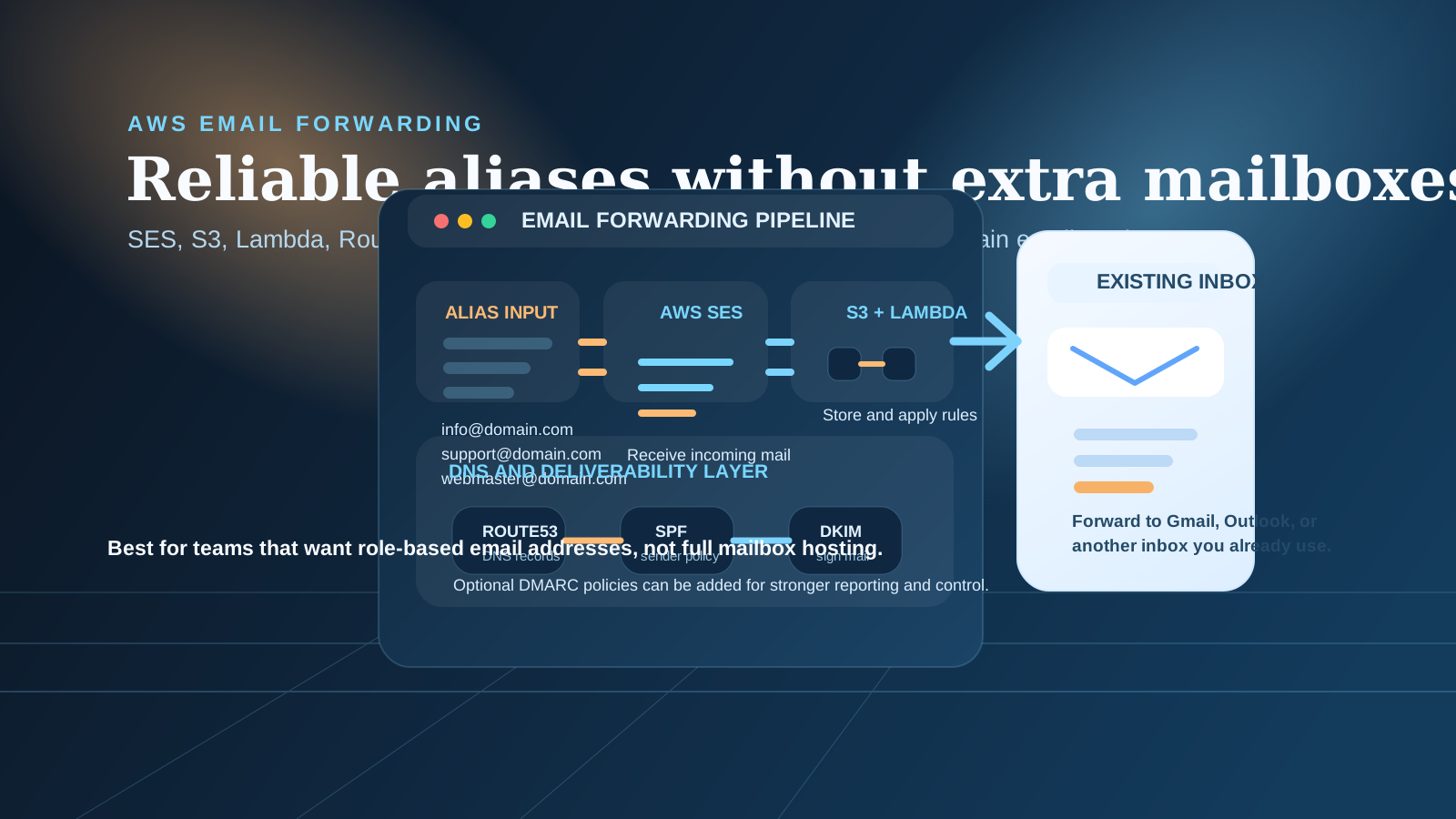
In plain English: AWS SES receives the message, S3 stores it, Lambda applies the forwarding logic, and the message is delivered to the correct inbox.
Route53, SPF, DKIM, and optional DMARC are part of the DNS/authentication layer so the setup is cleaner than a legacy forwarding account and easier to support over time.
If the bigger concern is the website stack itself rather than just email forwarders, see our WHM/cPanel migration page for a broader Laravel + AWS transition path.
What this service is good for
This service is for businesses that want professional domain email addresses without paying for separate mailboxes they do not actually need.
Simple forwarding
Forward [email protected] or [email protected] into Gmail or another existing inbox.
Multiple aliases
Send several public-facing email addresses into one destination inbox with clear routing rules.
Multiple domains
Forward mail from more than one domain into a single inbox when that fits the organization.
Mailbox-light teams
A practical fit for churches, local businesses, nonprofits, and small teams that do not need separate inboxes for every role.
What is included
- Domain verification in AWS SES
- DNS setup in Route53 or your current DNS provider
- Inbound routing configuration for domain aliases
- Amazon S3 message pipeline setup
- AWS Lambda forwarding automation
- SPF and DKIM authentication
- Optional DMARC setup
- Testing and validation before final DNS cutover
- Migration from legacy cPanel email forwarders
What this service is not
This service is not full mailbox hosting. If your team needs separate user inboxes, calendars, contacts, or collaboration features, Google Workspace or Microsoft 365 may still be the better fit.
- Not a full mailbox replacement for teams that need separate user inboxes and collaboration tools
- Not bulk email marketing or outbound campaign infrastructure
- Not a replacement for Google Workspace when the team needs shared productivity features
Related AWS support
If this email cleanup turns into a broader infrastructure project later, we can also help with cloud infrastructure and AWS DevOps services.
Many small organizations start with one practical modernization fix and expand from there.
Benefits of moving forwarding to AWS
Lower recurring cost
Keep professional domain email addresses without buying extra user mailboxes you do not need.
Reliable cloud routing
Forwarding logic lives in a cleaner AWS workflow instead of a fragile shared-hosting control panel.
Maintainable setup
The routing path is documented, testable, and easier to adjust as addresses or domains change.
Professional brand email
Use business-friendly addresses for public contact points without increasing mailbox sprawl.
Modern authentication
SPF, DKIM, and optional DMARC support improve legitimacy and help keep routing cleaner.
Scales with the organization
Add aliases, domains, and routing updates later without rebuilding the whole email story.
Technical flow
The routing path is simple enough for non-technical stakeholders to understand, but still built on dependable AWS services.
AWS SES receives the email
Inbound mail for the domain arrives in SES instead of relying on old hosting mail rules.
S3 stores the message
The message is stored securely so the next step can process it reliably.
Lambda applies the logic
Forwarding rules decide which alias or domain maps to which destination inbox.
Forwarding rules are matched
One inbox, multiple aliases, or multiple domains can be handled based on the setup.
Delivered to the real inbox
The message lands in the destination inbox with SPF and DKIM support in place for better deliverability.
Frequently asked questions
Need to migrate old email forwarders or clean up domain email?
We can review your current forwarding setup, explain whether AWS is the right fit, and map out the cleanest migration path.